

Refine
Sort by
Base station
Suction power
Navigation
Battery life
Smart features
Colour
Brand
Customer rating
More like this


Dji Romo P
DJI
- 25,000 Pa powerful suction
- Drone-level obstacle sensing
- Self-cleaning base station
- Transparent design aesthetic
- 200-day maintenance-free operation

Ecovacs Deebot T30S Pro (Robot Vacuum Mop)
Ecovacs
- 11,000Pa suction power
- Hot water mop washing
- ZeroTangle anti-hair technology
- TruEdge edge mopping
- All-in-one OMNI station
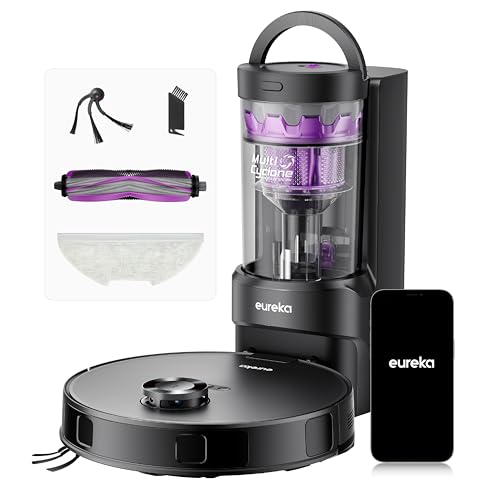
Eureka E20 Evo Plus
Eureka
- 10,000 Pa powerful suction
- Self-emptying 45-day capacity
- Vacuum and mop simultaneously
- 180-minute battery runtime
- LDS laser navigation mapping
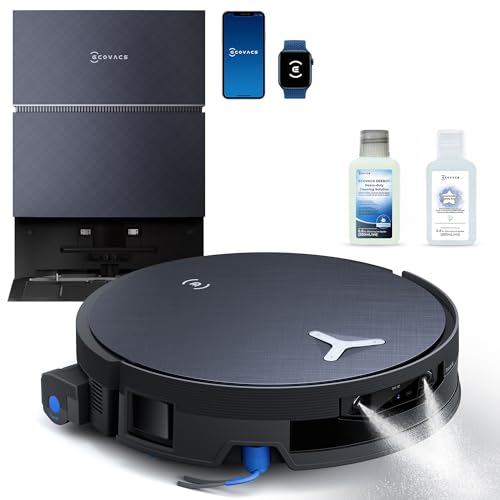
Ecovacs Deebot X12 Pro
Ecovacs
- OZMO Roller instant self-washing
- Bagless auto-empty station
- PowerBoost GaN charging
- AIVI 3D navigation
- 200 minute battery life

Olsen & Smith Smart robot vacuum cleaner
Olsen & Smith
- 10000Pa powerful suction
- Self-emptying base station
- Vacuum and mop combo
- Laser navigation mapping
- Voice control compatible
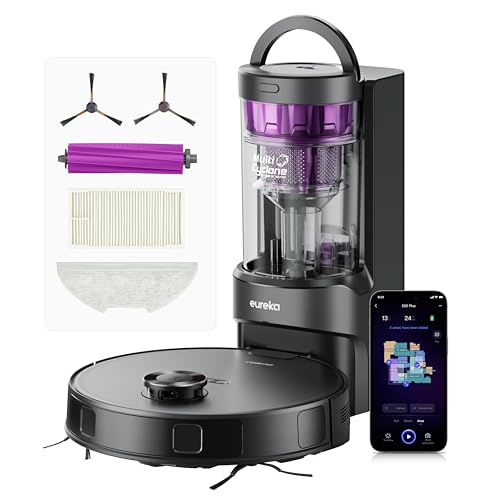
Eureka E20 Plus Robot Vacuum Cleaner (Black, 35cm x 35cm)
Eureka
- 8000Pa powerful suction
- 45-day self-emptying station
- 10mm mop lifting
- 180-minute battery life
- AI obstacle avoidance

Eureka Eureka E20 Plus Robot Vacuum
Eureka
- 8000Pa powerful suction
- 45-day self-emptying station
- AI 3D obstacle avoidance
- 180-minute battery life
- Vacuum and mop function

Proscenic Q8 Max Robot Vacuum Mop
Proscenic
- Self-emptying station included
- 6000Pa powerful suction
- 200 minute battery life
- 360° LiDAR navigation
- App and voice control

Eureka J15 Max Ultra robot vacuum
Eureka
- 22,000 Pa suction power
- Self-emptying base station
- Hot water mop washing
- FlexArm edge cleaning
- AI obstacle avoidance
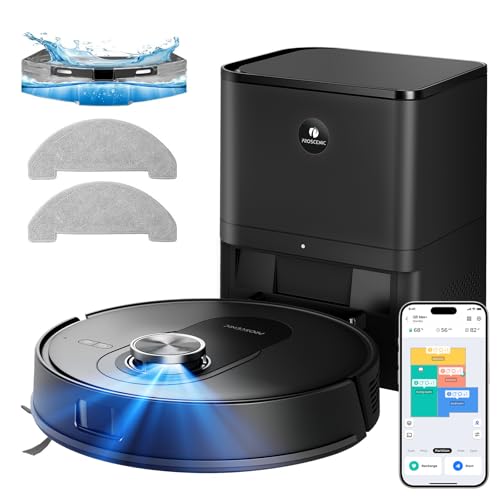
Proscenic Q8 Max+ Robot Vacuum And Mop (Black)
Proscenic
- 8000 Pa powerful suction
- Self-emptying 60 days
- 360° LiDAR navigation
- Vacuum and mop combo
- 200 minute battery life

Xiaomi Robot Vacuum Cleaner
Xiaomi
- 1800Pa powerful suction
- LDS smart mapping
- 2.5 hour battery life
- App control functionality
- Obstacle climbing capability

Ecovacs Deebot T30S Combo
Ecovacs
- 11000Pa powerful suction
- ZeroTangle anti-hair technology
- Hot water mop washing
- Self-emptying dust collection
- Handheld vacuum included
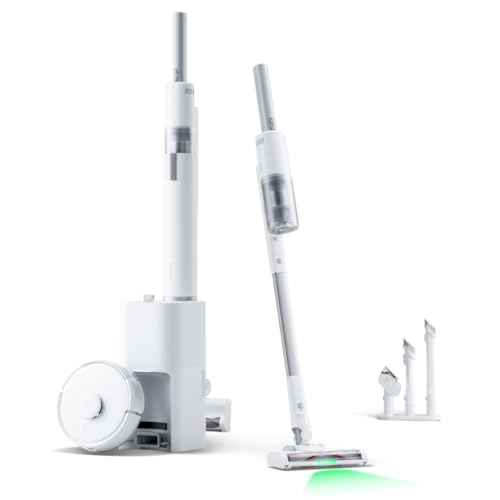
SwitchBot K10+ Pro Combo W3002500 (White)
SwitchBot
- 3-in-1 cleaning system
- 20,000Pa powerful suction
- Auto-empty dual dock
- D-ToF radar navigation
- Ultra-quiet 45dB operation

HONITURE G20 PRO (Black, 3-in-1 Robot Vacuum and Mop)
HONITURE
- 4500Pa ultra-strong suction power
- 3-in-1 sweep vacuum mop
- 150 minutes battery runtime
- Smart Z-shaped navigation system
- Auto carpet boost detection

Eufy E25 Omni
Eufy
- 20,000 Pa turbo suction
- HydroJet mop system
- Auto-detangling brushes
- All-in-one base station
- 3-hour battery life

Lefant M5max
Lefant
- 23000Pa powerful suction
- 20cm wide roller mop
- 75°C hot water washing
- 120 days self-emptying
- Zero-tangle brush design

Roborock Qrevo Edge 2
Roborock
- 25,000 Pa powerful suction
- FlexiArm edge cleaning technology
- 80°C hot water washing
- 3.14" ultra-slim design
- Zero-tangle dual system

Ecovacs Deebot X12 Omnicyclone
Ecovacs
- 22,000Pa blast suction power
- Self-washing roller mop system
- Bagless auto-empty station
- FocusJet pre-spray technology
- ZeroTangle 4.0 hair prevention

Lefant Robot vacuum and mop
Lefant
- 12000Pa cyclonic suction power
- Self-emptying 3.2L dust bag
- Hot water mop washing
- 220-minute battery runtime
- 360° laser navigation mapping

Tapo Robot Vacuum
Tapo
- 4200Pa hyper suction power
- 3-hour continuous cleaning battery
- LiDAR navigation mapping system
- 800ml large dust capacity
- Voice and app control
What is a robot vacuum and mop with mapping?
Every robot vacuum has to work out where it is. The cheapest ones barely try: they drive in a straight line until a bumper tells them to turn, then repeat, which is why they miss patches and clean the same spot three times. A robot vacuum with mapping builds a digital floor plan on its first cleaning run, remembers where the walls, doors and furniture are, and plans an efficient route every time after that.
That stored plan is what makes the "smart" part possible. Once it exists, the app can split it into rooms, let you name them, set a cleaning order, send the robot vacuum to the kitchen only, or keep it from mopping the lounge carpet. It also means the machine knows where it stopped when the battery runs low, so it can recharge at its dock and resume the job from the same spot.
For a 2-in-1 machine the floor plan matters even more than for a vacuum-only model. Mopping a carpet is a disaster, so a robot vacuum cleaner with mop uses its plan, plus carpet detection, to keep the wet pad on hard floors and either lift it or skip carpeted areas completely.
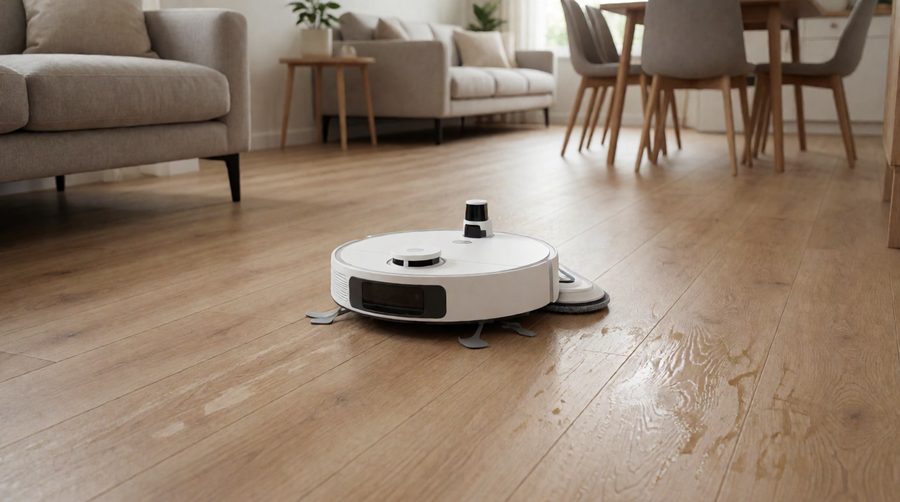
Mapping vs non-mapping robot vacuums
Here's what changes when a robot vacuum and mop can see and remember your home.
| Feature | Robot vacuum with mapping | Non-mapping robot vacuum |
|---|---|---|
| Cleaning pattern | Planned rows, room by room | Random or Z-shaped, often misses patches |
| Choose rooms in the app | Yes, plus cleaning order | No |
| No-go and no-mop zones | Drawn on the floor plan | Magnetic strips at best |
| Recharge and resume | Returns to finish the job | Usually stops when the battery is low |
| Multi-floor homes | Separate saved plan per floor | Starts from scratch every time |
| Corners and edges | Follows walls and corners on the plan | Hit and miss |
How mapping technology works
There are four main types of navigation, and the type is the single biggest difference between a cheap robot vacuum cleaner and a good one.
LiDAR
LiDAR, also sold as LDS, is the round turret on top of most mapping robots. A laser spins 360 degrees and measures the distance to every wall and chair leg around it, so the robot vacuum draws an accurate floor plan very quickly. Proscenic quotes a mapping time of around 15 minutes for its Q8 Max+. Because the laser supplies its own light, LiDAR works just as well in the dark, which is handy if you run the robot overnight or while you're out with the curtains closed.
dToF (direct time of flight)
dToF is a newer laser system that times how long each pulse of light takes to bounce back. You'll find it in the Lefant M3 and the Xiaomi Robot Vacuum 5 Pro. Some brands now retract or embed it so the robot is lower: the Roborock Qrevo Edge 2 uses RetractSense dToF and stands just 8.0cm tall, and the Ecovacs Deebot T50 Pro Omni is 8.1cm. Compare that with 9.7cm for the turret-topped Lefant M3, Proscenic Q8 Max+ and Eureka E20 Evo Plus. A centimetre or two decides whether a robot vacuum fits under your sofa.
Camera navigation (vSLAM)
Camera navigation, called vSLAM (visual simultaneous localisation and mapping), recognises landmarks such as door frames and ceiling edges. iRobot's Roomba Combo j7 uses this approach, branded PrecisionVision Navigation with Smart Mapping. It's excellent at recognising objects, but it needs light, so a vSLAM robot can struggle in a dim space and often takes a few runs to finish its plan.
Gyroscope and bump navigation
Budget models such as the Honiture G20 Pro use a gyroscope to clean in a Z-shaped pattern. They're more methodical than a random bump-and-turn robot, but they don't keep an accurate saved plan, so you can't set per-room rules. If you want a true floor map, look for LiDAR, dToF or vSLAM in the spec.
Laser plus AI: the best of both
The best robot vacuum and mop models combine a laser plan with 3D vision or structured light for obstacle avoidance. The Ecovacs T50 Pro Omni pairs dToF with its AIVI 3D 3.0 system, the Eufy E25 Omni uses iPath laser navigation plus AI and recognises 200+ obstacles, and the Roborock Qrevo Edge 2 identifies 280+ object types. The laser keeps the plan accurate while the AI spots socks, cables and pet mess.
Robot vacuum and mop with mapping: models compared
We pulled these figures from the specifications of the models in this collection. Amazon prices change constantly, so we've left them out, but every number below comes from the listing.
| Model | Navigation | Saved floors | Suction | Runtime | Height | Base |
|---|---|---|---|---|---|---|
| Dreame D9 Max | LiDAR | Multi-level | 4,000 Pa | 150 min | 9.6cm | Charge only |
| Tapo RV30 Max Plus | LiDAR + IMU | 4 (3+1) | 5,300 Pa | 150 min | 10cm | Self-emptying, 3L dust bag |
| Proscenic Q8 Max+ | 360° LiDAR + structured light | 5 | 8,000 Pa | 200 min | 9.7cm | Self-emptying, 3L dust bag |
| Eureka E20 Evo Plus | LDS LiDAR | 4 | 10,000 Pa | 180 min | 9.7cm | Bagless self-emptying |
| Roborock Q10 S5+ | PreciSense LiDAR + structured light | Multi-level 3D | 10,000 Pa | Not listed | Not listed | Self-emptying, 2.7L dust bag |
| Ecovacs T30S | LiDAR TrueMapping 2.0 | Multi-floor | 11,000 Pa | 180 min | Not listed | Omni-style, 70°C mop wash |
| Lefant M3 | 360° dToF laser | 3 | 12,000 Pa | 220 min | 9.7cm | Self-emptying, 45°C mop wash |
| Ecovacs T50 Pro Omni | dToF + AIVI 3D 3.0 | Multi-floor | 15,000 Pa | 200 min | 8.1cm | 10-in-1 Omni station, 75°C |
| Eufy E25 Omni | iPath laser + AI | Not listed | 20,000 Pa | 180 min | Not listed | Omni station, 3L dust bag |
| Xiaomi Robot Vacuum 5 Pro | Lifting dToF | Not listed | 20,000 Pa | 120 min | Not listed | Self-emptying, 80°C mop wash |
| Roborock Qrevo Edge 2 | RetractSense dToF + 100° vision | Not listed | 25,000 Pa | Not listed | 8.0cm | 80°C mop wash, 65-day empty |
| iRobot Roomba Combo j7 | PrecisionVision camera | Smart Mapping | Not listed | 2 hours | 8.7cm | Charge only |
Two things stand out. Proper mapping is now standard from the cheapest robot vacuum cleaner in the table upwards, so you no longer need a flagship budget to get it. And the newest machines are getting lower: retractable or embedded modules take a premium robot under sofas a turret model can't reach.
Smart mapping features that make a real difference
Almost every app now draws a floor plan. What separates a good one from a frustrating one is what you can do with it.
- Automatic room division. The robot vacuum splits the plan into areas, which you can merge, split and name ("Kitchen", "Hall") so you can say "Alexa, clean the kitchen".
- No-go zones and virtual walls. Draw a box round the pet bowls, the Christmas tree or a tangle of cables and the robot won't enter it.
- No-mop zones. The essential mopping setting: the robot vacuums the carpet but keeps its wet pad off it.
- Per-area settings. Higher suction power in the hall, extra water in the kitchen, a single pass in the bedroom.
- Cleaning order and spot cleaning. Do the kitchen first after dinner, or tap a point on the plan to clean just that spot.
- Carpet detection. The Roborock Q10 S5+ uses ultrasonic carpet detection, and the Proscenic Q8 Max+ lifts its mop pad when it reaches carpet.
- Obstacle icons and 3D views. AI models mark objects such as shoes and pet bowls, and the Roborock Q10 S5+ builds a 360° 3D map.
- Schedules. Set a different cleaning schedule for each space, so the kitchen gets a daily run and the spare bedroom a weekly one.
Voice control works best with a good floor plan, because Alexa or Google Assistant can only send the robot vacuum to areas the app has named, and the same voice control lets you start, pause or dock it hands-free. Our Alexa mopping robots page covers which assistants each brand supports, and our guide to smart robot vacuum cleaners looks at app features beyond the floor plan.
Mapping and mopping: keeping water off your carpets
A robot vacuum and mop with mapping is only as good as its ability to tell carpet from hard floor. There are three levels of protection.
- No-mop zones. You mark carpeted spots yourself in the app. It works with any mapping model, but you have to update it when you move a mat.
- Automatic mop lift. The robot vacuum raises its pad when it detects carpet. Check the lift height: the Roborock Q10 S5+ lifts 8mm, the Lefant M3 9mm, the Eureka E20 Evo Plus 10mm and the Eufy X10 Pro Omni 12mm. Higher lifts suit thicker carpets.
- Mop detaching. Premium docks such as the Roborock Qrevo Edge 2 leave the mop pads at the station for carpet-only runs.
For floors that are almost entirely hard surfaces, see our robot mops for hard floors.
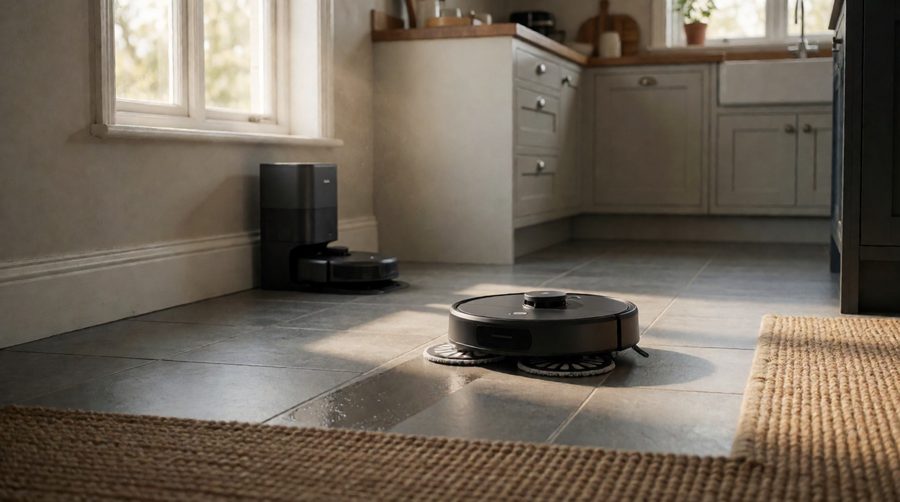
Multi-floor mapping for houses with stairs
No robot vacuum can climb stairs yet, so in a two- or three-storey house you carry it up and down. A multi-floor robot vacuum stores a separate plan for each level, recognises which floor it has been put down on and loads the right zones and settings. Check how many floors a model can hold before you buy: the Lefant M3 saves 3, the Tapo RV30 Max Plus and Eureka E20 Evo Plus 4, and the Proscenic Q8 Max+ 5.
You'll usually keep the docking station on the main floor. Upstairs, the robot cleans until the battery is low and then stops, so runtime matters more than usual. The Lefant M3's 220 minutes and the Proscenic Q8 Max+'s 200 minutes cover most homes in one go, and our long battery life robot vacuums list more. For very large ground floors, see our picks for large areas.
How to choose a robot vacuum and mop with mapping
1. Navigation type
LiDAR or dToF for an accurate plan that works without lights on; vSLAM if you want object recognition; ideally both. Avoid "gyroscope" or "smart path" models if choosing rooms is the reason you're buying.
2. Obstacle avoidance
A floor plan shows walls and sofas, not today's mess. If you have pets, children or trailing cables, look for structured light or AI obstacle avoidance. Our obstacle avoidance collection covers this in detail.
3. Height and clearance
Measure the gap under your sofa and beds. A turret model at 9.7cm needs more clearance than the 8.0cm Roborock Qrevo Edge 2 or the 8.1cm Ecovacs Deebot T50 Pro Omni.
4. Thresholds
Door bars and carpet edges stop a lot of robots. The Tapo RV30 Max Plus climbs up to 22mm, the Eureka E20 Evo Plus and Xiaomi Robot Vacuum 5 Pro 20mm, while the Mova Mobius 60 uses robotic legs to get over obstacles up to 5cm (8cm combined). See our robots that climb thresholds.
5. Suction power
Suction in this collection runs from 4,000 Pa on the Dreame D9 Max to 30,000 Pa on the Mova Mobius 60. For vacuuming hard floors and picking up everyday dust, dirt, crumbs and debris (pet hair included on short carpets), anything over 4,000 Pa copes. For carpets and pet hair, more suction plus an anti-tangle brush makes a real difference.
6. Battery and runtime
Recharge-and-resume means even a short runtime gets there in the end, but a longer battery finishes in one go, which matters on floors without a dock.
7. The base station
A charge-only dock (Dreame D9 Max, iRobot Roomba Combo j7) keeps the price down. A self-emptying base saves you emptying the bin, and an all-in-one station also washes and dries the mop and refills the water tank. Our self-emptying robot vacuums and all-in-one models with charging stations compare these.
8. Wi-Fi band
The plan lives in the app, so the robot vacuum needs a reliable connection. Many models, including the Eufy E25 Omni, Ecovacs T50 Pro Omni, Roborock Qrevo Edge 2 and Dreame D9 Max, only connect to 2.4GHz Wi-Fi. If your router combines bands, you may need to split them during setup.
Best robot vacuum with mapping for your home
Small flats
The best robot vacuum for a flat doesn't need a huge station. The Dreame D9 Max gives you LiDAR, no-go zones and a 270ml water tank on a charge-only dock, and the Tapo RV30C adds LiDAR with 3+1 floor plans, up to 3 hours of runtime and Alexa or Google Assistant voice control.
Pet hair
Pet hair fills small bins and wraps round brushes, so pair a good floor map with a self-emptying dust bag and an anti-tangle brush. The Ecovacs T30S has ZeroTangle and 11,000 Pa of suction for pet hair on carpet, and the Eureka E20 Evo Plus has a V-shaped anti-tangle roller with a bagless base. See our robot vacuum and mop for pet hair picks.
Homes with stairs
Choose the most saved floors and the longest runtime: the Proscenic Q8 Max+ (5 floors, 200 minutes) or the Lefant M3 (3 floors, 220 minutes).
Low furniture
The Roborock Qrevo Edge 2 (8.0cm) and Ecovacs T50 Pro Omni (8.1cm) hide their navigation module so they fit under more sofas and beds.
The most hands-free
Omni-style stations empty the bin, wash the mop in hot water, dry it and refill the tank, so mopping is almost hands-free. The Ecovacs X8 Pro Omni heats its mop wash to 40°C, 55°C or 75°C, and the X12 OmniCyclone has a bagless station and 22,000 Pa of suction. Compare these with our premium robot vacuum mops or, on a tighter budget, our budget robot vacuum and mop range.
Robot vacuum brands with smart mapping
Roborock
Roborock helped make spinning-turret navigation mainstream. The Q10 S5+ uses PreciSense LiDAR with a 3D map, while the Qrevo Edge 2 retracts its turret and adds a vision system.
Ecovacs Deebot
Ecovacs calls its LiDAR system TrueMapping and its AI vision AIVI. Its Deebot Omni models, such as the T50 Pro Omni, T80 Omni and X8 Pro Omni, combine both with full mop washing stations.
Eufy
Eufy, Anker's home brand, uses iPath laser navigation. The Eufy E25 Omni adds AI obstacle recognition and an Omni station, and the Eufy X10 Pro Omni lifts its mop by 12mm on carpet.
iRobot Roomba
iRobot uses vSLAM and Smart Mapping, which lets you name rooms and objects, and the iRobot app works with Alexa and Google Assistant. The Roomba Combo j7 vacuums and mops, the Roomba Combo 10 Max adds a mop washing dock, and the iRobot Roomba i3+ EVO bundle pairs a Roomba vacuum with a separate Braava jet m6 mop.
Shark
Shark's Stratos 2-in-1 and Matrix Plus use 360° LiDAR, and the PowerDetect NeverTouch Pro offers room selection, no-go zones and a base that self-empties for up to 60 days.
Tapo, Lefant, Proscenic, Eureka and Dreame
These brands bring accurate navigation to lower prices. Tapo (the RV30 Max Plus and RV30C) and Proscenic are especially strong on saved floors, Lefant on runtime and Eureka on bagless self-emptying bases.
Dyson
Dyson's 360 robots have long used 360° vision to navigate, and the Dyson Spot+Scrub AI is the brand's robot vacuum and mop. No Dyson models are in this collection at the moment, but Dyson is worth knowing if you're comparing vision-led robots.
Getting the best floor plan: setup tips
- Tidy before the first run. Pick up shoes, cables and toys, and open every internal door so the robot vacuum sees the whole floor.
- Use a quick mapping run if offered. Many apps can map without cleaning, which is faster and gives a cleaner first plan.
- Put the docking station in its permanent spot first. The plan is built around the dock, so moving it later can confuse the robot vacuum.
- Check the split straight away. Fix wrongly merged spaces and name them before setting schedules.
- Watch out for mirrors, glass and very dark mats. Floor-level mirrors can confuse a laser, and the drop sensors under some robots read black mats as a step. A no-go zone fixes either.
- Remap after big changes. Moving a chair is fine. Knocking through a wall or rearranging a whole floor is worth a fresh plan.

Running costs and maintenance
Mapping itself costs nothing to run, but the robot vacuum still needs looking after to keep it accurate.
- Wipe the laser cover and front camera. Dust on the lens makes the robot vacuum cleaner lose track and redraw its plan.
- Clear the brush and edge brushes. Hair and thread wrapped round the brush cut suction power and pickup, even on anti-tangle designs.
- Replace dust bags and mop pads. A self-emptying dust bag lasts weeks (Eufy says every 75 days for the E25 Omni), and mop pads need washing or replacing.
- Clean the corners of the dock. Dirty water trays and dirt in the wash tray of an Omni station start to smell if left.
- Check the corners of the plan. If the robot vacuum cleaner keeps skipping corners or a doorway, re-run a cleaning pass there or redraw the zone.
Privacy and security for robots with cameras
A mapping robot holds a plan of your home, and vSLAM or AI models also capture images, so treat it like any other connected device. The National Cyber Security Centre's guide to smart devices in the home recommends changing default passwords, keeping the app and firmware updated and turning on two-step verification on the account.
Since 29 April 2024, the UK's product security regime has banned universal default passwords on connected products and requires makers to say how long they'll provide security updates. iRobot's listing for the Roomba Combo j7, for example, promises security support until at least 31 December 2027. The Information Commissioner's Office explains your data rights with smart products, including asking a company what it holds about you.
Is a robot vacuum with mapping worth it?
For most homes, yes. A robot vacuum that maps does its vacuuming in less time, misses fewer patches and stays off your carpets when it mops. Choosing rooms makes it useful every day instead of something you set off once a week and then tidy up after. The only reason to choose a non-mapping model now is a very small flat on a very tight budget, and even there LiDAR models like the Dreame D9 Max cost little more. Ecovacs' page for its Deebot N8 shows how accurate navigation, multi-level maps and virtual boundaries have become entry-level features.
FAQs
What is smart mapping on a robot vacuum?
It means the robot vacuum scans your home with LiDAR or vSLAM, saves a floor plan and uses it to plan its route. In the app you can then divide rooms, set no-go and no-mop zones and clean individual rooms on a schedule.
Is LiDAR or camera mapping better?
LiDAR and dToF give the most accurate plans and work in the dark. Cameras are better at recognising small objects. The best robot vacuum cleaner models use LiDAR for navigation and AI for obstacles.
Can a robot vacuum and mop map more than one floor?
Yes, if it supports saved floors. It saves a plan for each level and recognises which one it's on. Our range holds between 3 floors (Lefant M3) and 5 (Proscenic Q8 Max+).
How long does it take a robot vacuum to map a house?
A LiDAR robot vacuum cleaner can usually build a floor map of one storey in a single run. Proscenic quotes around 15 minutes for the Q8 Max+. Camera models may need a few runs.
Do I need to remap if I move furniture?
Not for small changes, as the robot vacuum adapts as it goes. After a big rearrangement or building work, delete the old plan and run a new one so room borders stay accurate.
Will a mapping robot mop my carpets?
Not if it's set up properly. Mark carpets as no-mop zones, and choose a robot vacuum cleaner with mop lift or a dock that detaches the pads.
Does a robot vacuum and mop with mapping need Wi-Fi?
For the app, the floor plan and voice control, yes. Most will still clean from the button on top without a connection, but you lose zones, schedules and per-room settings.