

Refine
Sort by
Base station
Suction power
Navigation
Battery life
Smart features
Colour
Brand
Customer rating
More like this
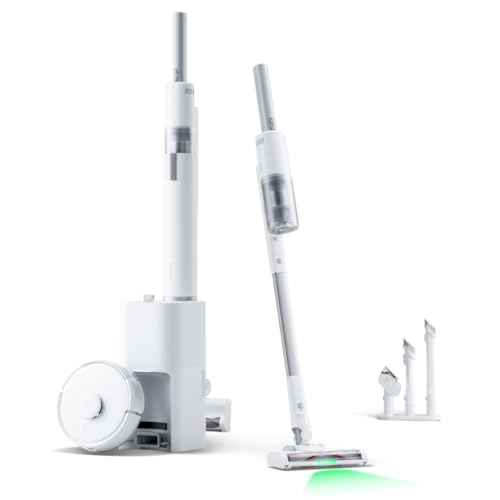


Shark PowerDetect Robot Vacuum And Mop (White, 60-Day Self-Emptying)
Shark
- 60-day self-emptying capacity
- 3D LiDAR vision mapping
- Sonic mopping technology
- PowerDetect cleaning sensors
- Anti-allergen complete seal

Eureka NER E10s BK Robot Vacuum Cleaner (Black, Bagless Auto-Emptying)
Eureka
- 4000 Pa suction power
- Bagless auto-emptying station
- LiDAR navigation mapping
- 2-in-1 vacuum mop
- 45-day dust capacity

Shark Navigator robot vacuum with self-empty base
Shark
- SmartPath LiDAR navigation mapping
- Self-empty bagless base
- Anti-hair wrap brushroll
- Object detection avoidance
- 60-day dirt capacity
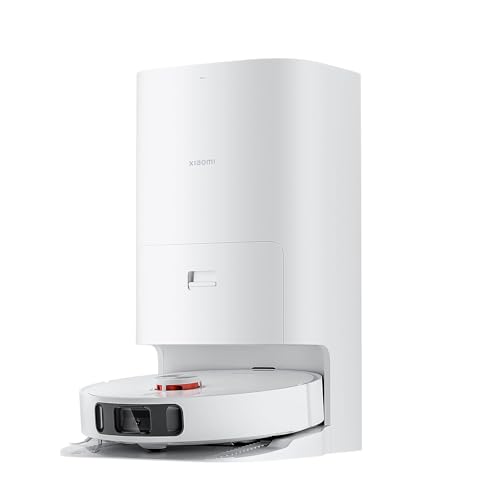
Xiaomi Mi Robot Vacuum Cleaner X10+
Xiaomi
- 4000Pa super suction power
- Self-cleaning rotating mop pads
- Auto-empty dust station
- AI obstacle avoidance technology
- 120-minute battery life

Shark PowerDetect Robot Vacuum
Shark
- 5x PowerDetect cleaning technologies
- 60-day self-emptying capacity
- 3D LiDAR navigation mapping
- Sonic mopping with pad washing
- NeverStuck threshold climbing technology
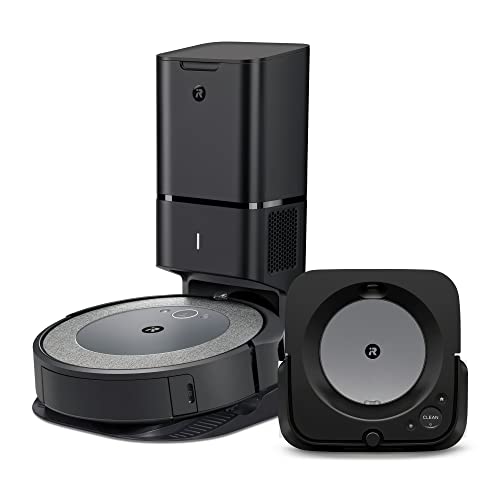
Irobot Roomba i3+ EVO 3550 Bundle
iRobot
- Self-emptying Clean Base station
- Smart mapping technology
- Premium 3-stage cleaning system
- Precision Jet Spray mopping
- Voice and app control
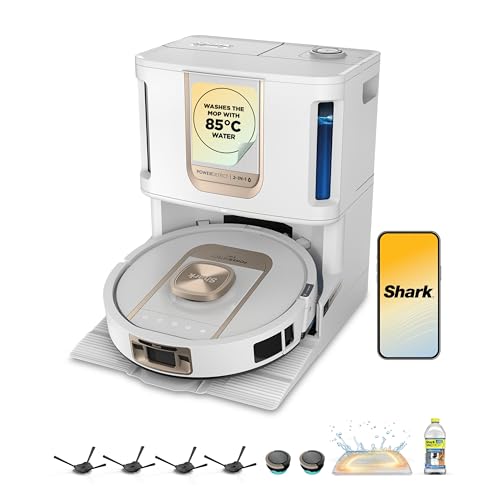
Shark ThermaCharged PowerDetect Robot Vacuum
Shark
- Heated mop cleaning base
- Dirt detect technology
- Edge cleaning extension
- Three hour battery life
- Auto water tank refill

Narwal Freo X Plus Robot Vacuum And Mop (White)
Narwal
- 7800Pa powerful suction
- Seven weeks dust storage
- Zero tangle brush design
- Self-emptying dustbin technology
- Tri-laser obstacle avoidance

Dreame X50 Ultra
Dreame
- 20,000Pa Vormax suction power
- Retractable legs climb 2.36in
- VersaLift lowers to 3.5in
- DuoBrush anti-tangle system
- Auto-empty self-cleaning base

Ecovacs Deebot X11 OmniCyclone
Ecovacs
- 19,500Pa BLAST suction power
- Bagless auto-empty station
- OZMO ROLLER 2.0 mopping
- PowerBoost 3-minute charging
- ZeroTangle anti-hair wrap

Eufy X10 Pro Omni
Eufy
- 8,000 Pa powerful suction
- Auto mop washing station
- Self-emptying dust collection
- AI obstacle avoidance
- Dual rotating mop pads

Shark PowerDetect robot vacuum
Shark
- 30-day self-emptying base
- Vacuum and mop combo
- 3D LiDAR mapping
- Anti hair wrap technology
- App and voice control

Irobot Roomba j7
iRobot
- PrecisionVision obstacle avoidance
- 10x power-lifting suction
- Smart mapping technology
- Pet hair resistant brushes
- App and voice control

Irobot Roomba Combo i8+
iRobot
- Self-emptying clean base
- Vacuum and mop combo
- Smart mapping technology
- Voice control compatible
- Four stage cleaning

Irobot Roomba Combo 10 Max
iRobot
- 4-stage cleaning system
- AutoWash dock included
- SmartScrub mopping technology
- Auto-retract mop system
- Advanced obstacle avoidance
What is an auto empty robot vacuum?
A standard robot vacuum has an onboard dust bin of roughly 300-500ml - the Roomba j7 in our range has a 400ml bin and the Roborock Q7 Max+ 470ml. In a family home with carpets or a dog, that fills in one or two runs, so you end up emptying it almost as often as the vacuum cleans. An auto empty model adds a taller dock with a powerful fan of its own. When the vacuum finishes, or when its bin is full mid-clean, it parks, the dock opens a port underneath it and the fan pulls everything out into a much bigger bag or canister.
The feature first went mainstream with iRobot's Roomba i7+ in 2018. Today almost every brand sells one, including Shark, Eufy, Roborock, Dreame, Ecovacs, Tapo and Xiaomi, and they range from simple vacuum-only robots to premium 2-in-1 machines whose stations also wash and dry the mop pads.
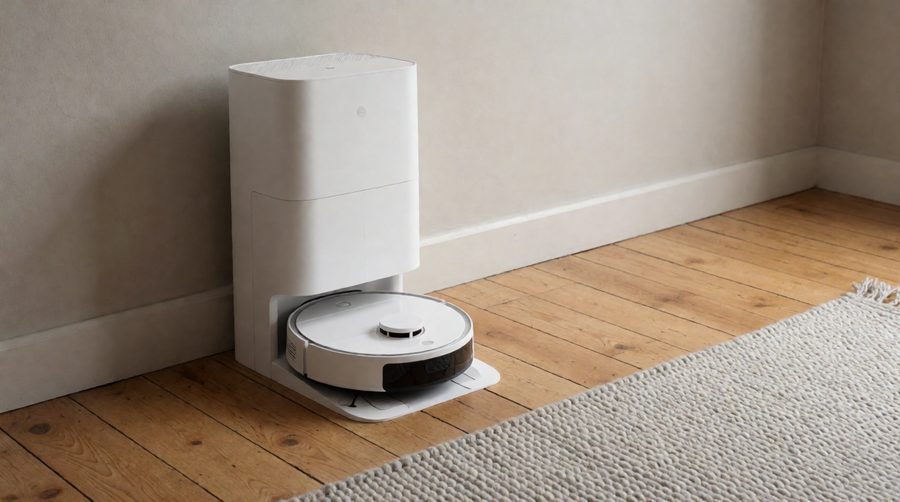
How the self-emptying dock works
- The vacuum cleans as normal, using its own small bin.
- It returns to the dock to charge, or heads back early if the bin sensor says it's full.
- The dock's motor runs for roughly 15-30 seconds and sucks the debris through a channel into the base.
- Dirt collects in a sealed bag or a bagless canister. The app, or a light on the station, tells you when it's full.
- It charges and, if it was mid-job, carries on where it left off.
That emptying cycle is the loud part. Shark lists its PowerDetect at 55-60 dB while cleaning but 70-75 dB during the emptying cycle, which is about as loud as an upright vacuum for those few seconds. Most apps let you set a do-not-disturb window so it doesn't happen at night; if noise matters, also look at our quiet robot vacuums and mops.

Bagged or bagless: which station is better?
This is the biggest choice you'll make, and owners are split on it.
| Bagged station | Bagless station | |
|---|---|---|
| Where the dirt goes | Sealed disposable bag inside the base | A clear canister with washable filters |
| Typical capacity | 2.5-4 litres, about 7 weeks to 4 months | About 45-60 days |
| Ongoing cost | Replacement bags | None, but filters need washing |
| Dust when emptying | Very little - the bag seals as you lift it out | Some, as you tip the canister into the bin |
| Best for | Allergy sufferers, people who want to forget about it | Anyone who'd rather not buy bags |
| Examples in our range | Tapo RV30 Max Plus, Eufy L60, Roborock Q7 Max+ | Shark Matrix Plus, Eureka E10s, Ecovacs Deebot X12 OmniCyclone |
Bagged stations
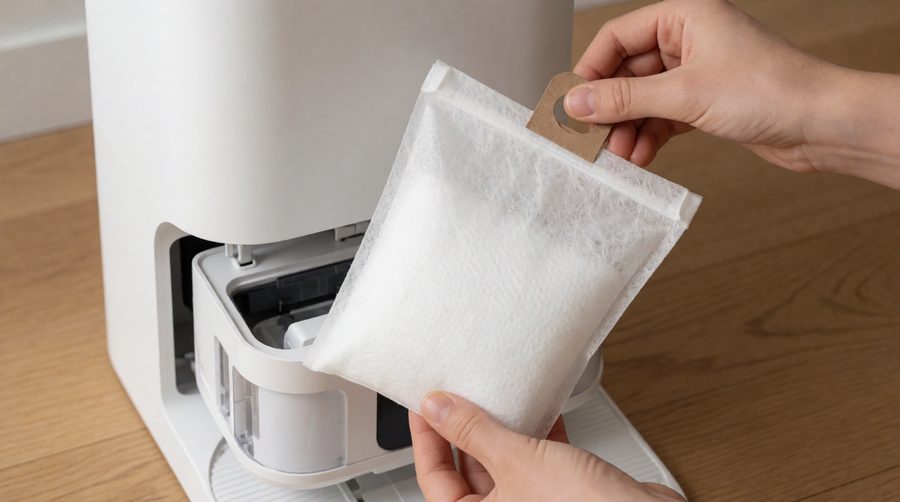
Most models use a disposable bag of 2.5 to 4 litres that seals as you lift it out, so you never see or breathe the dust. That makes them the better choice if anyone in the house has a dust or pet allergy. The trade-off is the running cost of bags, which add up over a few years. Stick to the official ones or well-reviewed matching bags: a poorly fitting third-party bag can stop the dock sealing, and then it won't empty properly. Most packs come with one bag fitted and a spare in the box.
Bagless stations
Shark, Eureka and Ecovacs (with OmniCyclone) all sell bagless docks. Dirt is spun into a clear canister which you tip into the bin, usually every month or two. There's nothing to reorder, but you will need to rinse and dry the filters in both the robot and the base now and then, and emptying the canister puts a little dust back in the air. Browse our full range of bagless robot vacuum mops if you'd rather avoid bags altogether.
Auto empty robot vacuums compared
We pulled the station specs from the products in this collection. The spread is wider than most shops let on: from 45 days for the bagless Eureka models to 120 days for the Lefant M5 Pro, and from 4,000Pa to 25,000Pa of suction.
| Model | Station | Days between empties* | Suction | Run time |
|---|---|---|---|---|
| Eureka E10s | Bagless, 2 litres | 45 | 4,000Pa | Up to 3 hours |
| Eureka E20 Plus | Bagless | 45 | 8,000Pa | 180 mins |
| Shark Matrix Plus 2-in-1 | Bagless | 60 | Not listed | Not listed |
| Eufy L60 | Bag, 2.5 litres | 60 | 5,000Pa | 120 mins |
| Tapo RV30 Max Plus | Bag, 3 litres | About 60 | 5,300Pa | 150 mins |
| Roborock Q7 Max+ | Bag, 2.5 litres | About 49 (7 weeks) | 4,200Pa | 180 mins |
| Roborock Qrevo Edge 2 | Bag | 65 | 25,000Pa | Not listed |
| SwitchBot K10+ Pro Combo | Bag, 3 litres | 70 | Listed as 20,000Pa | Not listed |
| Xiaomi H50 Pro | Bag | 75 | 15,000Pa | 120 mins |
| Eufy E25 Omni | Bag, 3 litres | 75 | 20,000Pa | 180 mins |
| Dreame L50 Ultra | Bag | 100 | 19,500Pa | 180 mins |
| Lefant M5 Pro | Bag | 120 | 18,000Pa | Up to 320 mins (vacuum only) |
*Manufacturer figures from the product listings. Real-world capacity depends on floor area, pets and how often the robot runs.
Two things stand out. First, a big days figure usually means a bigger bag, not a cleverer robot - the Dreame L50 Ultra and Lefant M5 Pro sit at the top because their docks hold more. Second, the vacuum-only machines (Eufy L60, Tapo RV30 Max Plus, Eureka E10s) have far lower suction figures than the 2-in-1 flagships, but on hard floors and low-pile rugs the difference is smaller than the numbers suggest. For deep carpets and pets, the 15,000Pa-plus models are worth the extra; see our strong suction robot vacuums.

Auto empty only, or a full all-in-one station?
There are two kinds of dock. A basic emptying dock only charges the vacuum and empties the bin. Shark's Matrix Plus dock measures 33.2 x 22.7 x 30cm, small enough to tuck beside a sofa. An all-in-one station also washes the mop pads (often with hot water), dries them with warm air, refills the robot's water tank and sometimes adds detergent. The Roborock Qrevo Edge 2's dock is 48.7 x 52.1 x 34cm, and these larger stations weigh 13-18kg.
- Choose auto empty only if your home is mostly carpet, you have little space, or you want the lowest price.
- Choose an all-in-one if you have a lot of hard floor and want the mopping to be as hands-off as the vacuuming. Our all-in-one robot mops with charging stations and self-cleaning robot mops cover these.

How to choose the right model
Days between emptying
Treat the manufacturer figure as a best case. It assumes a typical home and a run every day or two. Reddit owners with several dogs report their vacuum docking five or six times in a single clean, and the bag filling much faster than listed. If you have pets, pick something rated for 60 days or more and expect half that.
Suction and floor type
Suction is quoted in pascals (Pa). Around 4,000-5,000Pa is fine for hard floors and short rugs; for thick carpets and pet hair, look at 8,000Pa and above, and a rubber or tangle-free roller. Our robot vacuums and mops for pet hair are chosen with this in mind.
Navigation and mapping
Nearly every self-emptying model in this range uses LiDAR (a spinning laser) to map the home, which lets it clean in straight lines, find its way back to the dock and accept no-go zones in the app. Higher-end robots add a camera or 3D sensors to steer round socks, cables and pet mess. See our smart mapping robots and obstacle avoidance models.
Robot height
The dock doesn't affect how low the vacuum can go, but the laser turret does. The Roborock Qrevo Edge 2 is 8.0cm tall, the Eufy Omni C20 8.5cm and the Xiaomi H50 Pro 9.3cm, while several others are close to 10cm. Measure the gap under your sofa and beds before you buy.
Thresholds and rugs
Most robots manage 2cm door strips. If you have taller thresholds, some newer models with lifting legs list 4cm single steps; our robots that climb thresholds has them.
Battery and home size
Run times in this collection run from 60 minutes (Shark Navigator) to 220 minutes (Mova V50 Ultra). Bigger homes need a longer battery, and recharge-and-resume helps too; see our robot mops for large areas. For flats and small rooms, a compact robot such as the 24.8cm-wide SwitchBot K10+ Pro Combo makes sense, alongside our small robot mops.
Budget
Self-emptying used to be a premium extra, but there are now sensible entry points such as the Tapo RV30 Max Plus. Our budget robot mops and premium robot mops split the range by price.
Is a self-emptying robot vacuum worth it?
For most people, yes. The point of a robot vacuum is that it cleans without you, and a 400ml bin that needs emptying after every run undoes much of that. With a self-emptying dock you can schedule daily cleans and only think about the bin once a month or so. It's worth the money most if you:
- have a dog or cat that sheds;
- suffer from dust or pet allergies and want to handle debris less;
- want the robot to clean while you're out or away for a few days;
- have a larger home where one small bin won't last a full clean.
It's less worthwhile in a small, hard-floored flat with no pets, where a basic vacuum's bin might last several runs. And bear in mind that the base often doesn't clear long hair wound round the brush roll, so you'll still check the vacuum itself occasionally.
Where to put the base station
- Leave around 0.5m clear either side and 1-1.5m in front so the vacuum can line up to dock.
- Put it on a hard, level floor against a wall, not on a thick rug.
- Pick a spot with good Wi-Fi so the app stays connected.
- Keep it away from stairs and out of direct sun.
- Hallways and utility rooms work well, as the emptying cycle is loud.
Looking after a self-emptying dock
- Change the bag when the app tells you, and keep a spare in.
- Rinse a bagless canister and let the filters dry completely before refitting.
- Check the dock's suction port and the robot's bin outlet for blockages such as hair, string or a sock.
- Clean the brushes and cut away tangled hair every week or two.
- Wipe the sensors and charging contacts monthly.
- Replace filters and side brushes as the maker recommends, often every three to six months.
If you'd like a robot that needs as little upkeep as possible, our low maintenance robot mops are worth a look.
Allergies, batteries and recycling
Because the dock seals dirt away, a self-emptying model means less handling of dust. For dust mite and pet allergies, the NHS suggests using a vacuum with a HEPA filter, and many of the docks and robots here have one; see the NHS advice on allergic rhinitis. They use lithium-ion batteries, so charge on the supplied dock and stop using one that swells or overheats - the London Fire Brigade lithium battery guide explains the warning signs. When an old robot or base reaches the end of its life, take it to an electrical recycling point; Recycle Your Electricals has a postcode finder.
Auto empty robot vacuum FAQs
How often do you need to empty the base?
Typically every 45 to 120 days, depending on the size of the bag or canister. Pets and carpets shorten that a lot.
Do self-emptying robot vacuums need special bags?
Bagged stations do, and each brand uses its own shape. Bagless stations don't need any.
Is the emptying cycle loud?
Yes, briefly. It lasts around 15-30 seconds and can reach 70-75 dB, so set quiet hours in the app if you clean in the evening.
Can I add a self-emptying base to my current robot?
Sometimes. A few brands sell the dock separately for compatible models, so check your model number. Otherwise you'll need a vacuum sold with a base.
Do auto empty robots work on carpet?
Yes. Higher suction and a tangle-free brush help with deep pile. Mopping models lift their pads, or avoid carpet, when they detect a rug.
Do they need Wi-Fi?
Most will clean from a button on the vacuum, but you need Wi-Fi and the app for maps, schedules, no-go zones and bag-full alerts. For hands-free control, see our Alexa robot mops.