

Refine
Sort by
Base station
Suction power
Navigation
Battery life
Smart features
Colour
Brand
Customer rating
More like this


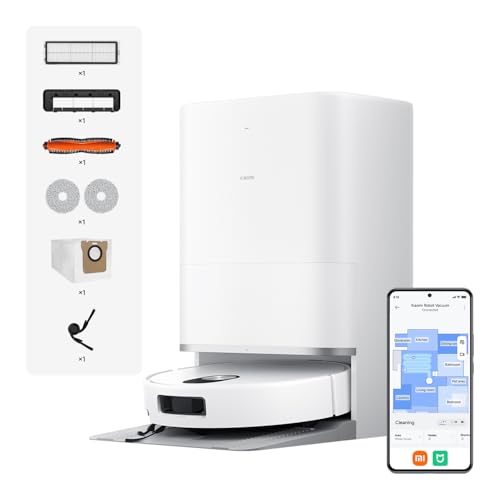
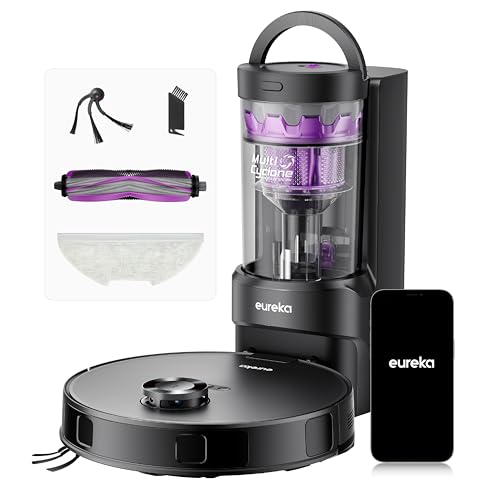
Eureka E20 Evo Plus
Eureka
- 10,000 Pa powerful suction
- Self-emptying 45-day capacity
- Vacuum and mop simultaneously
- 180-minute battery runtime
- LDS laser navigation mapping
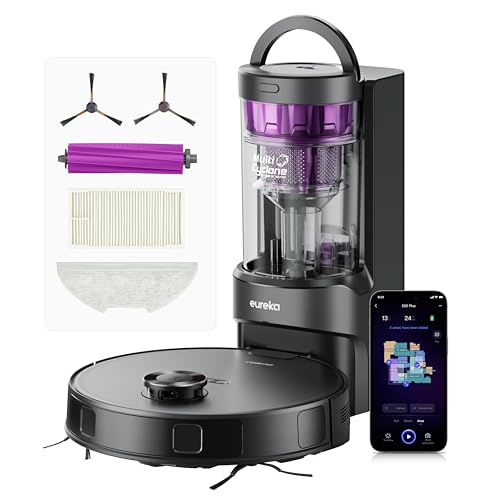
Eureka E20 Plus Robot Vacuum Cleaner (Black, 35cm x 35cm)
Eureka
- 8000Pa powerful suction
- 45-day self-emptying station
- 10mm mop lifting
- 180-minute battery life
- AI obstacle avoidance

Proscenic Q8 Max Robot Vacuum Mop
Proscenic
- Self-emptying station included
- 6000Pa powerful suction
- 200 minute battery life
- 360° LiDAR navigation
- App and voice control
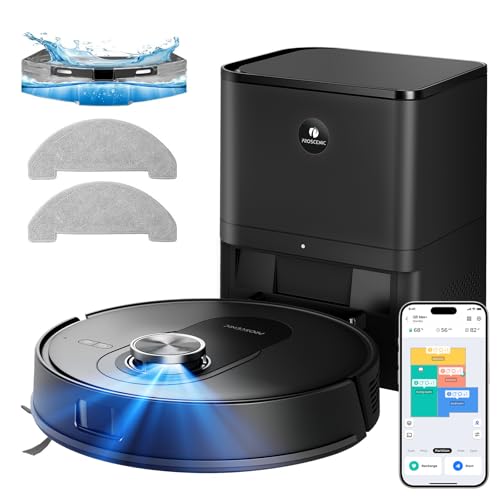
Proscenic Q8 Max+ Robot Vacuum And Mop (Black)
Proscenic
- 8000 Pa powerful suction
- Self-emptying 60 days
- 360° LiDAR navigation
- Vacuum and mop combo
- 200 minute battery life

HONITURE G20 PRO (Black, 3-in-1 Robot Vacuum and Mop)
HONITURE
- 4500Pa ultra-strong suction power
- 3-in-1 sweep vacuum mop
- 150 minutes battery runtime
- Smart Z-shaped navigation system
- Auto carpet boost detection

Lefant Robot vacuum and mop
Lefant
- 12000Pa cyclonic suction power
- Self-emptying 3.2L dust bag
- Hot water mop washing
- 220-minute battery runtime
- 360° laser navigation mapping

Tapo Robot Vacuum
Tapo
- 4200Pa hyper suction power
- 3-hour continuous cleaning battery
- LiDAR navigation mapping system
- 800ml large dust capacity
- Voice and app control

Lefant Robot vacuum cleaner
Lefant
- 18,000Pa powerful suction
- 20cm wide roller mop
- 75°C hot water washing
- 120 days hands-free cleaning
- dToF laser navigation mapping

Coredy Robot vacuum cleaner
Coredy
- 2200Pa strong suction power
- 3-in-1 vacuum sweep mop
- Wi-Fi app voice control
- Boost-Intellect carpet technology
- Virtual boundary magnetic strips

Tapo RV30 Max Plus Robot Vacuum Cleaner (5300Pa, Black)
Tapo
- 5300Pa hyper suction power
- LiDAR dual navigation mapping
- Auto-empty dock included
- Vacuum and mop functions
- 150 minutes battery life

Lefant Lefant M2 Plus Robot Vacuum
Lefant
- 6000Pa powerful suction
- Self-emptying station included
- LiDAR navigation mapping
- 2-in-1 vacuum and mop
- 140 minute battery life

Xiaomi Mi Robot Vacuum-Mop P (White, 35cm x 35cm)
Xiaomi
- 2100Pa powerful suction
- Smart water tank control
- Three cleaning modes
- Laser mapping navigation
- Voice control compatible

Dreame D20 Air Plus
Dreame
- 20,000Pa powerful suction
- Auto-empty base station
- LiDAR smart navigation
- Anti-tangle brush design
- 2-in-1 vacuum and mop

Narwal Freo X Plus Robot Vacuum And Mop (White)
Narwal
- 7800Pa powerful suction
- Seven weeks dust storage
- Zero tangle brush design
- Self-emptying dustbin technology
- Tri-laser obstacle avoidance

Dreame Robot vacuum cleaner with mop
Dreame
- 4000Pa powerful suction
- LiDAR navigation mapping
- 150 minute battery life
- 2-in-1 vacuum and mop
- App and Alexa control
What counts as a budget robot vacuum and mop?
There's no official line, but the price bands TechRadar uses in its budget robot vacuum guide are a sensible guide for UK shoppers:
- Budget: under £400
- Mid-range: £400 to £650
- Premium: £650 and up
Every product in this collection sits in that budget band, or at the very top of it during a sale. The price of a robot vacuum moves a lot, especially around Black Friday and Prime Day, and a model that launched as mid-range often drops into budget territory a year later. The Roborock Q5 Pro+ is a good example: TechRadar calls it a mid-range bot at full price that is usually discounted into the budget bracket. That's why we judge a cheap robot vacuum on the value it gives for the price, not on the lowest price alone.
"Budget" also doesn't mean basic any more. A robot vacuum cleaner under £400 can now map your home with a laser, steer round chair legs, empty itself and lift its mop pad when it reaches a rug. What you give up is mostly at the top end: camera-based obstacle avoidance, hot-water mop washing and the big all-in-one stations you'll find on our premium robot mops page.
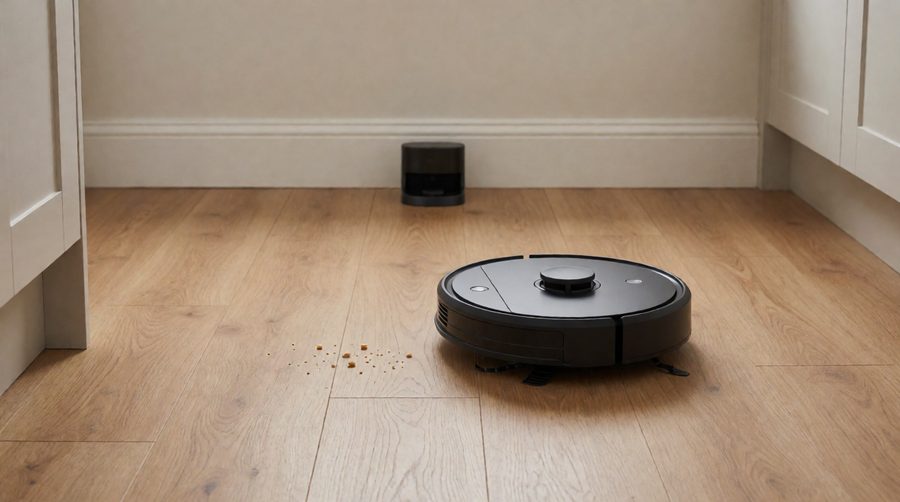
What you get, and what you give up, at a budget price
Here's an honest picture of where a cheap robot vacuum and mop combo holds up and where it cuts corners.
What a budget robot vacuum gets right
- Daily vacuuming of hard floors. Dust, crumbs, grit and other light debris on laminate, tile and vinyl are easy work for almost any robot vacuum.
- Strong suction power for the price. Our in-stock models run from 4,200Pa to 20,000Pa. TechRadar's budget picks average around 3,000Pa.
- Laser mapping. Most of the range here uses a spinning LiDAR turret, so the robot vacuum cleans in neat lines and you can set no-go zones in the app.
- Scheduling and voice control. App control plus Alexa or Google Assistant support is standard.
- Edge cleaning. One or two side brushes flick dust out of corners and along skirting boards.
Where cheaper models cut corners
- Mopping is a light wipe. Most budget mopping uses a fixed or vibrating mop pad dragged behind the robot. It's fine for daily dust and footprints, but it won't shift dried-on spills.
- Obstacle avoidance is basic. Bump and infrared sensors stop the robot hitting furniture, but socks, charging cables and pet mess can still catch it out. Expect to tidy the floor first.
- Smaller onboard dustbins. Without a self-emptying base station, a 250-800ml dustbin needs emptying after every run or two in a hairy home.
- More hands-on maintenance. You'll fill the water tank and wash the mop pad yourself on all but the dearer models.
- Weaker corners. A round robot vacuum can't reach right into corners, and cheaper ones lack the extending side brush or mop that premium models use.
If those trade-offs sound fine, a cheaper machine will save you a lot of time each week. If they don't, our obstacle avoidance robot mops are the next step up.
Cheap robot vacuum and mop combos: specs compared
Shop listings rarely show specs side by side, so we pulled these from the product details of the in-stock models in this collection. Pa is suction pressure in pascals. Battery life is the maker's figure on the lowest power setting, so expect less on max.
| Model | Suction | Battery life | Navigation | Base | Mopping |
|---|---|---|---|---|---|
| Honiture G20 Pro | 4,500Pa | 150 min | Sensors, Z-shaped path | Charge only, 250ml bin | 250ml tank, washable cloth |
| Dreame D9 Max | 4,000Pa | 150 min | LiDAR | Charge only, 570ml bin | 270ml tank, app-set water flow |
| Lefant M2 Plus | 6,000Pa | 140 min | dToF LiDAR | Auto-empty, 2.2L bag (~40 days) | 300ml tank, 3 flow levels |
| Tapo RV30 Max Plus | 5,300Pa | 150 min | LiDAR + IMU | Auto-empty, 3L bag | 3 water levels |
| Proscenic Q8 Max+ | 8,000Pa | 200 min | 360° LiDAR + structured light | Auto-empty, 3L bag (~60 days) | Lifts its pad on carpet |
| Eureka E20 Evo Plus | 10,000Pa | 180 min | LDS LiDAR | Bagless auto-empty, 2L (~45 days) | 10mm mop lift |
| Lefant M3 | 12,000Pa | 220 min | 360° dToF laser | Auto-empty + mop washing | Spinning mops, 45°C wash |
| Dreame D20 Air Plus | 20,000Pa | 180 min | LiDAR | Auto-empty, 4L bag (up to 120 days) | Vacuums and mops in one pass |
Two things stand out. First, suction power isn't the main price driver at this level. The Lefant M2 Plus has more pull than the dearer RV30 Max Plus, and the Dreame D20 Air Plus quotes 20,000Pa. Second, the base station is. Moving from a charge-only dock to an auto-empty one, and then to a mop-washing station, is where most of the extra money goes.
How to choose a budget robot vacuum and mop
Start with your floors and how hands-off you want to be. Then check these specs in roughly this order.
1. Navigation: laser or sensors
Navigation decides how well the whole thing works. A LiDAR (or dToF) turret on top spins a laser to build an accurate floor plan in a single run. The robot vacuum then cleans in straight rows, knows which room it's in and lets you draw no-go zones around pet bowls or a rug with tassels. Sensor-only and gyro navigation, as on the Honiture G20 Pro, follows a Z-shaped path and covers the floor less methodically. It's cheaper and the robot sits lower, but it can miss corners and take longer. For anything bigger than a flat, laser navigation is worth paying for. Our smart mapping robot mops are all laser-guided.
2. Obstacle avoidance
Obstacle avoidance on a budget robot vacuum usually means infrared or PSD sensors that see walls and furniture legs, plus a bumper. A few step up: the Proscenic Q8 Max+ adds structured light, the Narwal Freo X Plus uses a tri-laser system and the Eureka E20 Plus lists DuoDetect AI 3D obstacle avoidance. None of them match the camera systems on flagships that recognise hundreds of objects. In practice, pick up cables, socks and toys before a run, and block off anything the robot keeps getting stuck on in the app.
3. Suction power (Pa)
Makers quote suction power in pascals, and higher numbers help on rugs and carpet. But airflow, the brush roll and the seal around it matter as much as the headline figure. As a rough guide, 4,000-6,000Pa handles hard floors and short-pile rugs well, and 8,000Pa or more is worth having for thicker carpet or a moulting dog. Carpet boost, which raises suction when the robot rolls onto a rug, is more useful day to day than a bigger number. The Dreame D9 Max and Lefant M2 Plus both have it. If carpet is your main floor, browse our high suction robot mops.
4. The mopping system
There are three types of mopping at this price:
- Drag pad: a damp microfibre mop pad pulled along under the robot. Cheapest, and fine for a daily wipe of hard floors.
- Vibrating pad: the cloth scrubs side to side. Better on sticky marks. TechRadar's Ecovacs Deebot N10 Plus pick uses one.
- Spinning mops: two rotating pads that press down harder and reach closer to skirting boards. The Lefant M3 brings spinning mops into the budget range, and TechRadar's top budget pick, the Xiaomi X20+, uses rotating mops too.
Check whether the mop lifts. Without mop lifting, you'll have to remove the pad before a carpet clean or set no-go zones around rugs. The Eureka E20 Evo Plus lifts 10mm, the Lefant M3 9mm.
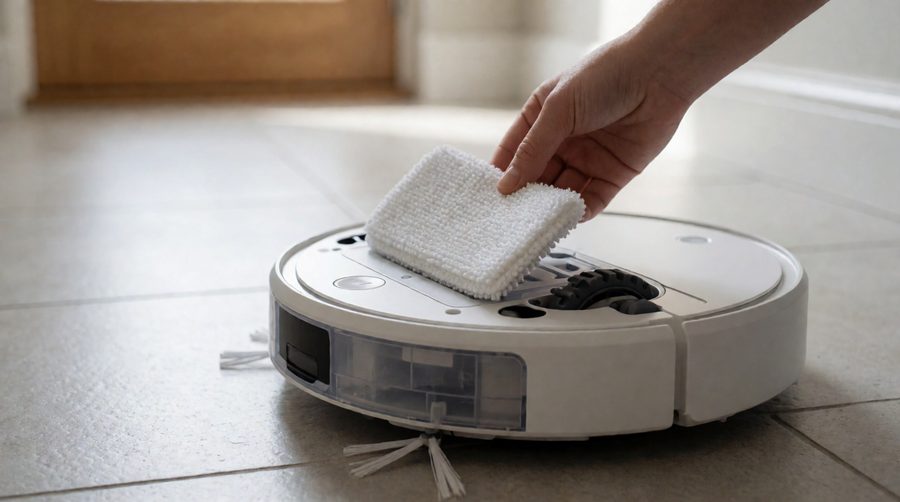
5. The base: charge only, self-emptying or mop washing
A charge-only dock is the cheapest. You empty the robot's dustbin by hand, usually after every run in a home with pets. A self-emptying base station sucks the bin out into a dust bag or bagless canister that holds weeks of dirt: about 40 days on the Lefant M2 Plus, 45 on the Eureka and 60 on the Proscenic Q8 Max+. A mop-washing station also rinses and dries the pads, so you're not handling a dirty cloth. Bagless bases save on running costs but need a rinse now and then. Bagged ones are less messy to empty. More on this in our auto-empty robot vacuum and mop guide.
6. Battery life and the size of your home
Battery life claims are measured on the quietest setting, so treat 150 minutes as closer to 90-100 on standard power with mopping on. For a flat or a small terraced house, 120-150 minutes is plenty. For a larger home, look for 180 minutes or more plus "recharge and resume", so the robot vacuum tops up and carries on where it stopped. The Ecovacs Deebot N10 Plus that TechRadar picks for larger homes runs for up to 300 minutes. See our long battery life robot mops if you have a big floor area.
7. Thresholds, rugs and stairs
Door bars and rug edges stop more cheap robots than anything else. The Tapo RV30 Max Plus climbs a threshold of up to 22mm and the Eureka models 20mm. Older or lower-cost bots often manage only about 15mm, which is enough for flat door bars but not raised ones. Cliff sensors stop every model here falling downstairs, but none can climb them. If your house has two floors, choose one that saves several maps (the Proscenic Q8 Max+ stores five) and carry it up. Homes with lots of raised thresholds should look at our robot mops that climb thresholds.
8. App control, no-go zones and noise
Good app control lets you clean one room, set a schedule and block off areas. Voice control through Alexa is standard, and many models also work with Google Assistant or Siri. If you work from home or run it at night, compare noise levels: the Honiture G20 Pro quotes 40dB and the Tapo RV30C 53dB, while the Narwal Freo X Plus lists 71dB. Our quiet robot vacuum and mop picks focus on this.
Best budget robot vacuum picks by home type
Not a ranking, just the models in our range that fit each kind of home best, using their listed specs.
Small flats and the tightest budgets
The Tapo RV30C pairs LiDAR and gyro navigation with 4,200Pa, an 800ml dustbin and up to 3 hours per charge, and it has more than 2,700 Amazon ratings. The Honiture G20 Pro is lower-tech but very quiet, and it comes with a remote, a spare filter and a magnetic boundary strip. For a studio or one-bedroom flat with mostly hard floors, either does the daily job. Our small robot mops are worth a look if space under furniture is tight.
Pet hair
Pet hair clogs small bins and wraps round brushes, so prioritise a self-emptying dock and an anti-tangle roller. The Eureka E20 Evo Plus has a V-shaped anti-tangle roller and a 13-cone cyclone that separates up to 98% of dust. The Lefant M3 uses a V-shaped anti-tangle brush with a 3.2-litre dust bag. TechRadar also rates the Roborock Q5 Pro+ for homes with dogs and cats because its dual rubber rollers handled pet hair well despite good-not-great suction. More in our robot vacuum and mop for pet hair collection.
Larger homes and two floors
Look for 180 minutes or more, multi-floor maps and recharge-and-resume. The Proscenic Q8 Max+ quotes 200 minutes and up to 230 square metres per run, stores five floor maps and maps a home in about 15 minutes. The Dreame D20 Air Plus covers 200-250 square metres with a 4-litre dust bag rated for up to 120 days. See also our robot mops for large areas.
The most hands-off for the money
The Lefant M3 gets closest to a premium robot vacuum and mop combo. It self-empties, washes its mops in 45°C water from a 2.5-litre clean tank, collects the dirty water separately and lifts its mops on carpet. The Lefant M5 Pro, at the very top of the budget band, adds self-refilling, a 20cm roller mop washed at 75°C and up to 320 minutes of vacuum-only battery life. If you'd rather never touch a cloth, compare these with our all-in-one robot mops with charging stations.
Budget robot vacuum brands worth knowing
Most brands sell a cheaper line alongside their flagships, and knowing which is which makes the price of a robot vacuum easier to judge.
Roborock
Roborock is best known for premium robots such as the Saros and Qrevo ranges, but its Q series is the budget way in. The Roborock Q5 Pro+ borrows the dual rubber rollers from the brand's dearer models, and TechRadar found its navigation reliable and its app straightforward. The trade-off is mopping, which TechRadar rated as only fine for a very light clean.
Dreame
Dreame's D series covers the budget end, while its L and X ranges (such as the X60 Max Ultra) are flagships. The Dreame D9 Max in our range is a long-running laser-navigation model with a 5,200mAh battery and 4,000Pa. The newer Dreame D20 Air Plus jumps to 20,000Pa with an auto-empty base. Browse more in our Xiaomi robot vacuum mops if you like this style, as Dreame started out in the Xiaomi ecosystem.
Ecovacs Deebot
Ecovacs makes everything from the Deebot N series to the premium T and X ranges (the Deebot X8 Pro Omni and X11 OmniCyclone feature in PCMag's robot mop tests). The Deebot N10 Plus is TechRadar's budget pick for larger homes thanks to its 300-minute battery life and multi-floor maps, though it found the robot a little loud. See our Ecovacs robot mops for current models.
Eufy
Eufy, part of Anker, made its name with slim, simple robot vacuums. TechRadar points to the Eufy RoboVac 11S for anyone who just wants a basic vacuum-only robot that gets on with the job. Eufy's mopping models with full stations, such as the Omni E28, sit in the premium band.
iRobot Roomba
iRobot popularised the robot vacuum with the Roomba. Its entry models, such as the Roomba 692, are vacuum-only with around 90 minutes of battery life and sensor-based cleaning rather than laser mapping. The Roomba Combo models add mopping. Compare them with LiDAR rivals at the same price before you buy, as the cheaper Roomba models tend to give up mapping.
Tapo, Lefant, Proscenic and Eureka
These value brands are where much of the best budget robot vacuum and mop hardware sits on Amazon UK. Tapo (from TP-Link) pairs LiDAR with a tidy app. Lefant and Proscenic push suction power and auto-empty docks at low prices. Eureka's E20 models stand out for their bagless docks. Narwal's Freo X Plus is TechRadar's best budget robot vacuum and mop in the US: it cleaned well and handled hair without issue, but its navigation was unreliable in testing, and it stores dust in the robot itself (Narwal quotes up to seven weeks) rather than using an auto-empty dock.
Matching the robot to your hard floors
Different hard floors need slightly different settings, and that affects which budget robot vacuum and mop combo suits you.
- Laminate: use a low water setting so moisture doesn't creep into the joints. Any model with app-set water flow works. See our robot mops for laminate floors.
- Tile: grout lines trap dirt, so vibrating or rotating pads do noticeably better than a drag pad. See our robot mops for tile floors.
- Real wood: keep water to a minimum and avoid harsh cleaners. A soft brush roll and a light mop pad are kindest. See our robot mops for hardwood floors.
- Vinyl and LVT: forgiving and easy to mop. Even the cheapest robots do well here.
- Mixed floors with rugs: carpet detection and mop lifting matter most, so look at the Proscenic Q8 Max+, Eureka E20 Evo Plus or Lefant M3.
Mostly hard floors throughout? Our robot mops for hard floors collection is built around that.
Setting up a cheap robot vacuum for the best results
A few minutes of setup makes a bigger difference on a budget robot than on a premium one.
- Let it map first. Run the first clean with doors open and the floor clear so the robot vacuum builds a full map. Then split rooms and name them in the app.
- Place the dock well. Give it clear space on each side and in front, on a hard floor, near your Wi-Fi router. TechRadar found the Deebot N10 Plus base needs plenty of clearance.
- Clear the floor. Cables, socks and shoelaces are the main things that stop a budget robot, because its obstacle avoidance is basic.
- Set no-go zones. Block off pet bowls, rug tassels and the gap under a low sofa where it gets wedged.
- Schedule it while you're out. A daily run keeps dust and pet hair under control, and short, frequent cleans suit a small dustbin.
- Use mopping-only runs on hard floors. Vacuum first, then mop, so the mop pad isn't pushing debris around.
Running costs and maintenance
A cheap robot vacuum isn't cheap if it needs constant attention. Budget for these and check that spares are easy to find before you buy:
- Dust bags: bagged auto-empty bases need replacements, roughly one every month or two. Bagless ones like the Eureka E20 Evo Plus avoid this.
- Filters: most makers suggest tapping out the filter weekly and replacing it every few months.
- Side brush and main brush: these wear out, and hair wraps round them. Cut it free every week or two.
- Mop pads: wash after each use, or let the station do it, and replace them when they go thin.
- Sensors and wheels: wipe the cliff sensors and laser cover, and pull hair out of the wheel axles.
Two tips save trouble. Only add floor cleaner to the water tank if the maker allows it, because the wrong product can clog the water lines. And London Fire Brigade warns against cheap counterfeit chargers for lithium battery items, so use the maker's own charging dock or genuine replacement parts. When a robot finally dies, take it to a local drop-off point found through Recycle Your Electricals rather than putting it in the bin.
Budget vs mid-range: is it worth paying more?
For most homes with mainly hard floors, a well-chosen budget model does most of what a flagship does. Paying more mainly buys:
- Camera-based obstacle avoidance that recognises socks, cables and pet mess
- Stronger mopping (heavier pressure, extending mops, hot-water washing and drying)
- Bigger all-in-one stations that refill the water tank and add detergent
- Better pet hair handling on deep carpet
- Quieter running and more polished apps
If those matter, step up to our mid-range robot mops. If not, put the money towards an auto-empty dock and laser navigation, which add the most value. For independent lab results on reliability and running costs, Which? tests robot vacuum cleaners regularly. If a robot arrives faulty, the gov.uk guide to consumer rights explains what you're entitled to.
FAQs
What is the best budget robot vacuum and mop?
It depends on your home. For a small flat, a LiDAR model with a charge-only dock such as the Tapo RV30C is plenty. For pets or a busy household, an auto-empty model like the Lefant M2 Plus, Tapo RV30 Max Plus or Eureka E20 Evo Plus saves the most effort. If you want the mop washed for you, the Lefant M3 is the most complete in this range.
Are cheap robot vacuums any good?
Yes, for regular upkeep. TechRadar found its top budget pick, the Xiaomi X20+, navigated excellently and cleaned on par with far dearer machines. The usual weak spots are mopping (a light wipe rather than a scrub) and obstacle avoidance for small objects. Clear the floor first and run it often, and it'll keep on top of daily dust well.
Is a self-emptying base worth it on a budget?
Usually, yes, especially with pets or long hair in the house. A small onboard dustbin fills after one or two runs, while an auto-empty dock holds weeks of dust. That's often the difference between a robot you run every day and one that sits unused.
Can a budget robot mop carpets?
No robot mops carpet. Budget models handle it in one of three ways: you remove the pad first, you set no-go zones round rugs, or, on models with mop lifting such as the Proscenic Q8 Max+ and Eureka E20 Evo Plus, the pad lifts automatically when carpet is detected.
How long does a robot vacuum battery last?
Models in this range quote 140-220 minutes per charge on the lowest setting. Real cleaning time with mopping on and medium suction is usually well short of that. The battery cells themselves typically last a few years before battery life drops noticeably.
Do I still need a normal vacuum?
For most homes, yes, but much less often. A robot vacuum cleaner can't do stairs, sofas or the car, and won't deep clean thick carpet like a full-size machine. Most owners find they get the big vacuum out every week or two instead of every day.