


Dji Romo P
DJI
- 25,000 Pa powerful suction
- Drone-level obstacle sensing
- Self-cleaning base station
- Transparent design aesthetic
- 200-day maintenance-free operation

Ecovacs Deebot T30S Pro (Robot Vacuum Mop)
Ecovacs
- 11,000Pa suction power
- Hot water mop washing
- ZeroTangle anti-hair technology
- TruEdge edge mopping
- All-in-one OMNI station

Olsen & Smith Smart robot vacuum cleaner
Olsen & Smith
- 10000Pa powerful suction
- Self-emptying base station
- Vacuum and mop combo
- Laser navigation mapping
- Voice control compatible
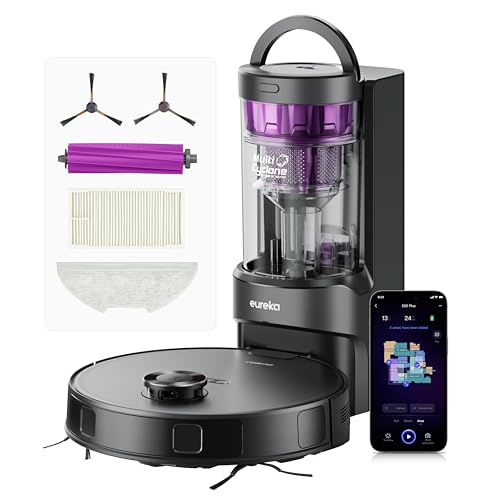
Eureka E20 Plus Robot Vacuum Cleaner (Black, 35cm x 35cm)
Eureka
- 8000Pa powerful suction
- 45-day self-emptying station
- 10mm mop lifting
- 180-minute battery life
- AI obstacle avoidance

Eureka Eureka E20 Plus Robot Vacuum
Eureka
- 8000Pa powerful suction
- 45-day self-emptying station
- AI 3D obstacle avoidance
- 180-minute battery life
- Vacuum and mop function

Proscenic Q8 Max Robot Vacuum Mop
Proscenic
- Self-emptying station included
- 6000Pa powerful suction
- 200 minute battery life
- 360° LiDAR navigation
- App and voice control

Eureka J15 Max Ultra robot vacuum
Eureka
- 22,000 Pa suction power
- Self-emptying base station
- Hot water mop washing
- FlexArm edge cleaning
- AI obstacle avoidance
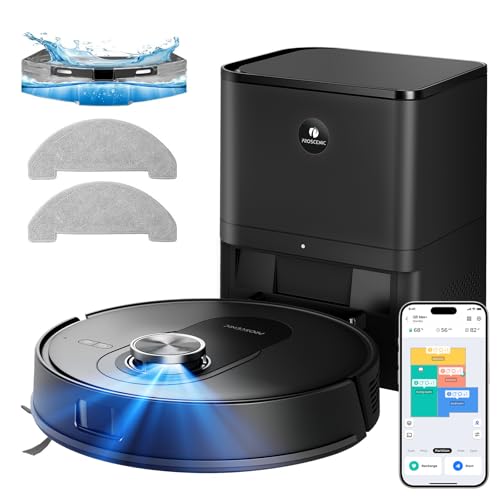
Proscenic Q8 Max+ Robot Vacuum And Mop (Black)
Proscenic
- 8000 Pa powerful suction
- Self-emptying 60 days
- 360° LiDAR navigation
- Vacuum and mop combo
- 200 minute battery life

HONITURE G20 PRO (Black, 3-in-1 Robot Vacuum and Mop)
HONITURE
- 4500Pa ultra-strong suction power
- 3-in-1 sweep vacuum mop
- 150 minutes battery runtime
- Smart Z-shaped navigation system
- Auto carpet boost detection

Tapo Robot Vacuum
Tapo
- 4200Pa hyper suction power
- 3-hour continuous cleaning battery
- LiDAR navigation mapping system
- 800ml large dust capacity
- Voice and app control

Ecovacs Deebot T50 Pro Omni (White)
Ecovacs
- 15,000Pa powerful suction
- TruEdge 2.0 edge cleaning
- OMNI station auto-cleaning
- AIVI 3D navigation
- ZeroTangle 2.0 technology

Ecovacs Deebot X8 Pro Omni
Ecovacs
- 18,000Pa powerful suction
- Self-washing OZMO roller mop
- 12-in-1 OMNI station
- ZeroTangle 2.0 technology
- YIKO-GPT voice assistant

Shark Stratos robot vacuum
Shark
- 30 days hands-free cleaning
- Sonic mopping technology
- 360° LiDAR navigation
- Self-cleaning brush roll
- HEPA filtration system

Lefant Robot vacuum cleaner
Lefant
- 18,000Pa powerful suction
- 20cm wide roller mop
- 75°C hot water washing
- 120 days hands-free cleaning
- dToF laser navigation mapping

Mova Mobius 60 MopSwap Robot Vacuum
Mova
- 30,000 Pa suction power
- Three interchangeable mops
- Crosses 8cm obstacles
- Hot water cleaning station
- HEPA filtration system

Samsung Jet Bot Combo+ VR7MD96514G (Misty White, 3-in-1)
Samsung
- 3-in-1 vacuum and mop
- Self-emptying Clean Station
- Steam mop sanitisation
- AI object recognition
- SmartThings app control

Ecovacs Deebot T50 Pro Omni (Black)
Ecovacs
- 15,000Pa powerful suction
- Ultra-slim 3.19" design
- Self-emptying omni station
- AI obstacle avoidance
- TruEdge corner cleaning

Lefant Lefant M2 Plus Robot Vacuum
Lefant
- 6000Pa powerful suction
- Self-emptying station included
- LiDAR navigation mapping
- 2-in-1 vacuum and mop
- 140 minute battery life


Ecovacs DEEBOT T50 PRO OMNI Gen 3
Ecovacs
- 15,000Pa powerful suction
- Ultra-slim 8.1cm design
- Self-cleaning mop station
- AI obstacle avoidance
- Auto-empty dustbin function
What are multi-floor robot vacuums?
A multi-floor model is a robot vacuum cleaner that can save more than one map. You map the ground floor, carry the robot upstairs, map that too, and from then on it knows which level it is on. Each saved plan keeps its own rooms, no-go zones, suction settings and cleaning schedule.
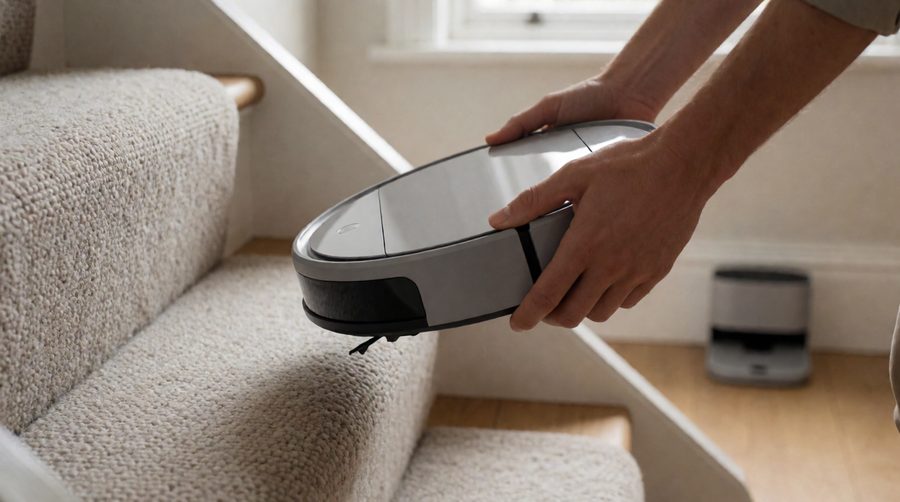
What none of them can do is climb a staircase. Every robot vacuum in this range uses cliff sensors to stop at the top step, so you still carry it between floors - a multi-floor home always needs a person for that part. The point of multi-floor mapping is that once you put it down, you press start and it cleans properly instead of wandering about trying to learn the layout again.
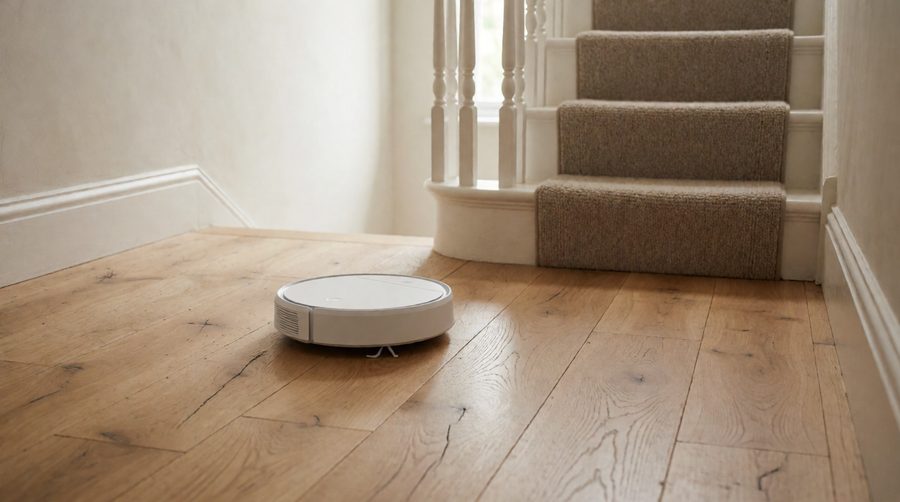
Which homes suit one?
- Two- and three-storey houses, including terraces and town houses
- Maisonettes and duplex flats with an internal staircase
- Split-level homes and bungalows with a loft conversion
- Homes with a garden room or annexe you'd like cleaned now and then
If upstairs is one bedroom and a bathroom, a robot is still worth having there - landings collect dust and pet hair just like hallways.
How multi-floor mapping works
Mapping each level
The robot drives round with its dock plugged in and uses LiDAR (a spinning laser) or a camera to measure the walls and furniture. When it has finished, you save the result in the app and name it - "Ground floor", "Bedrooms", "Loft". Proscenic quotes about 15 minutes to map a level on the Q8 Max+; a large open-plan space takes longer.
Recognising the floor
On the next run the robot spins, scans the room shape around it and matches it against what it has saved. Most models do this automatically. If two floors have a very similar layout it can pick the wrong one, which is the main complaint you'll see from owners - so check each plan after the first few runs.
What is stored for each floor
- Room boundaries and room names
- No-go zones and virtual walls (the top of the stairs, a bedroom with cables on the floor)
- Suction power and water flow per room - more suction on carpet, more water in the kitchen
- Carpet areas where the mop pad lifts or stays off
- Its own cleaning schedule
Multi-floor robot vacuums compared
The figures below come from the product listings in this collection. They show how much the number of saved maps varies - from 3 to 5 - and how runtime compares, which matters when the docking station stays on the ground floor.
| Model | Floor maps | Suction (Pa) | Runtime | Navigation |
|---|---|---|---|---|
| Proscenic Q8 Max | 5 | 6,000 | 200 min | 360° LiDAR |
| Proscenic Q8 Max+ | 5 | 8,000 | 200 min | 360° LiDAR |
| Eureka E20 Plus | Up to 4 | 8,000 | 180 min | LiDAR |
| iRobot Roomba 505 Combo | Up to 4 | 4 settings | 3 hours | ClearView Pro LiDAR |
| Tapo RV30C | 3 + 1 temporary | 4,200 | Up to 3 hours | LiDAR and gyro |
| Roborock Q10 S5+ | Multi-level | 10,000 | - | PreciSense LiDAR |
| Dreame D9 Max | Multi-layer | 4,000 | 150 min | LiDAR |
| Olsen & Smith RV06 | Multi-floor | 10,000 | 180 min | LiDAR |
| Ecovacs DEEBOT T30S | Multi-floor | 11,000 | 180 min | TrueMapping 2.0 LiDAR |
| Eureka E10s | Multi-floor | 4,000 | 3 hours | LiDAR |
| Narwal Freo X Plus | Multi-floor | 7,800 | - | LiDAR |
Where a listing only says "multi-floor" without a number, check the manufacturer's app guide before you buy if you have three or more floors. For comparison, iRobot says the Roomba i7's Imprint Smart Mapping remembers up to 10 floor plans.
Which brands offer multi-floor mapping?
Most brands now include it on their LiDAR models, though the number of saved plans and how well floor recognition works differ:
- Ecovacs - DEEBOT T30S, T50 Pro Omni and X8 Pro Omni
- Dreame - from the D9 Max up to the X50 Ultra
- Roborock - including the Q10 S5+ with multi-level mapping
- iRobot - Roomba Combo models and the Roomba i-series
- Tapo, Proscenic, Eureka and eufy - good-value LiDAR robots with saved maps
One robot or one per floor?
Carry one robot between floors
This is how most people start. Keep the dock on the floor you clean most - usually the one with the kitchen and the pet hair - and carry the robot up once or twice a week. The catch is charging and emptying: away from its base station, the robot can't recharge mid-clean or auto-empty its bin. Tapo's own guide says that after cleaning another floor, its robot has to be carried back to the dock to charge. A long runtime covers this, so look at our long battery life robot mops if your top floor is big.
- Pros: one purchase, one app, one set of spares
- Cons: you do the carrying, and no auto-empty or charging away from the dock
A robot on each floor
For three storeys, or if carrying a robot isn't practical, a second machine is easier. Each one keeps a single plan, so mix-ups stop, and both clean at the same time. A common setup is a full all-in-one robot mop with a charging station on the ground floor and a cheaper model above, where bedrooms gather less dirt.
- Pros: fully hands-off, both levels cleaned daily
- Cons: higher cost and two robots to look after
A second dock
Some brands sell spare charging docks, so the robot can charge on whichever floor it's on. A big omni station with self-cleaning mop washing needs space and a water supply, so upstairs a basic dock is usually enough.
Can robot vacuums do stairs?
No - not in the shops yet. A robot vacuum cleaner can't climb a staircase or clean the treads, and a cordless handheld is still the tool for the steps themselves. What they do well is avoid falling down them. Infrared cliff sensors underneath look for a sudden drop and turn the robot back, and a no-go line across the top of the stairs adds a second layer. Keep those sensors wiped: dust on them is the usual reason a robot hesitates at a dark rug or a step.
Thresholds between rooms are the other obstacle. Most robots manage around 2cm - the Eureka E20 Plus is rated for 20mm and the Shark PowerDetect for up to 2cm - while a few flagships go much higher. The Mova Mobius 60 clears 5cm single obstacles, and Dreame's X50 Ultra lifts itself over 6cm. Our robot vacuums that climb thresholds cover this in more detail.

What to look for in a robot vacuum for a multi-level home
Number of saved maps
Count your floors, then add one for a loft conversion or a garden office. Three or four saved plans cover most UK houses; a five-map model such as the Proscenic Q8 Max leaves room to spare.
LiDAR navigation
In a multi-floor home, floor recognition depends on accurate mapping, which is why every model in our table uses LiDAR navigation rather than gyro-only navigation. Cheaper robots that clean in a zig-zag with basic bump sensors can't store a layout at all, so they don't belong in a home with stairs. If the bedroom level has clothes and chargers left out, a camera or 3D sensor adds obstacle detection too - see our obstacle avoidance robot vacuums.
Battery life
Away from the dock, runtime is everything. Aim for 150 minutes or more if you'll carry the robot between levels without a second dock. The Proscenic models list 200 minutes and the Eureka E20 Plus 180.
Weight of the robot
Listings often quote the robot and station together, which is why some look like 10-18kg. The robot itself is light: the Tapo RV30C is 3.2kg, the Dreame D9 Max 3.7kg, and the maker gives 5.3kg for the DEEBOT X8 Pro Omni robot. For a slim, lightweight unit, browse our small robot mops.
Mopping on carpeted floors
Many homes have hard floors downstairs and carpet in the bedrooms. A mop that lifts automatically - 10mm on the Eureka E20 Plus and Ecovacs X8 Pro Omni - stops wet carpet. Set the bedroom plan to vacuum only if it's all carpet, and keep mopping for the hard floor in the kitchen and hall.
App, Wi-Fi and voice control
You'll pick the floor and start a clean from the app, so a clear map screen matters. The robot also needs a steady Wi-Fi signal on every level - a mesh system or extender helps if the top floor has a weak signal. Most of these robots work with Alexa and Google Assistant, so you can say "Alexa, clean the kitchen" once the robot is on the right floor. Our Alexa robot mops list the voice-controlled options.
How to set up multi-floor mapping
- Plug the dock in on your main floor and let the robot charge fully.
- In the app, turn on multi-floor or multi-map mode (often under Map Management).
- Run a mapping clean or quick map on that floor and save it once the robot docks.
- Carry the robot (not the dock) up to the next storey, start a new map and save it.
- Name each plan, split and label the rooms, and add a no-go zone along the top of the stairs.
- Set suction and water per room, and a schedule for each floor.
- From then on, put the robot down where you want it and press start - it should load the right plan itself.
Maintenance with two or more floors
A robotic vacuum that works more than one floor does more hours, so routine maintenance matters more:
- Empty the bin after a clean away from the dock - only the self-emptying station empties it automatically
- Cut hair off the main brush and side brush weekly if you have pets
- Wash or swap the mop pad after each mopping run
- Wipe the cliff sensors and LiDAR cover so dust and dirt don't confuse navigation
Safety around stairs, pets and charging
Pick up phone chargers, socks and pet toys before a bedroom-level run - that's where robots get tangled most. If you have a dog or cat shedding on the landing, our robot vacuums for pet hair have tangle-resistant brushes. These robots run on lithium-ion batteries, so follow the London Fire Brigade lithium battery advice: use the charger it came with, and charge on a hard surface, not on a bed or sofa.
FAQs
Can I move a robot vacuum to different floors?
Yes. Pick the robot vacuum cleaner up, put it down on the other floor and start it from the app. A model with multi-floor mapping recognises where it is and loads the saved plan. Ecovacs explains the same steps in its guide to robot vacuums on multiple floors.
How many floor maps can a robot vacuum store?
It depends on the model: 3 saved maps on the Tapo RV30C (plus one temporary, according to TP-Link's map guide), up to 4 on the Eureka E20 Plus and the Roomba 505 Combo, and up to 10 on the Roomba i7, and 5 on the Proscenic Q8 Max and Q8 Max+.
Do I need a dock on every floor?
No. One dock is fine if the battery lasts the whole floor; you carry the robot back to charge. A second dock is handy for a big top floor.
Will a robot vacuum fall down the stairs?
It's rare. Cliff sensors stop it at the edge, and a no-go zone across the top step makes it more reliable. Keep the sensors clean and watch very dark stair carpet right at the edge, which can confuse some sensors. For independent test results, Which? robot vacuum reviews are worth a look before you buy.
Have a large ground floor as well? See our robot mops for large areas for longer runtimes and bigger bins.