

Refine
Sort by
Base station
Suction power
Navigation
Battery life
Smart features
Colour
Brand
Customer rating
More like this
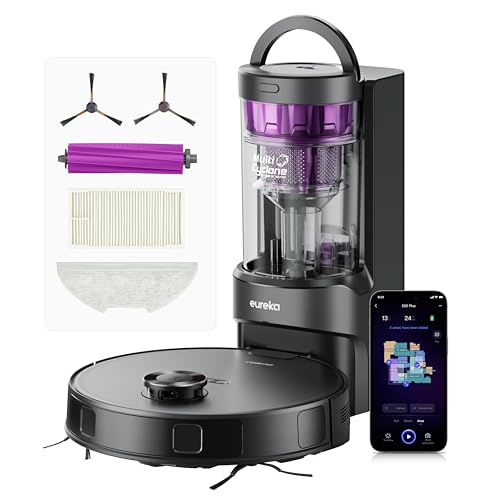


Shark PowerDetect Robot Vacuum
Shark
- 5x PowerDetect cleaning technologies
- 60-day self-emptying capacity
- 3D LiDAR navigation mapping
- Sonic mopping with pad washing
- NeverStuck threshold climbing technology
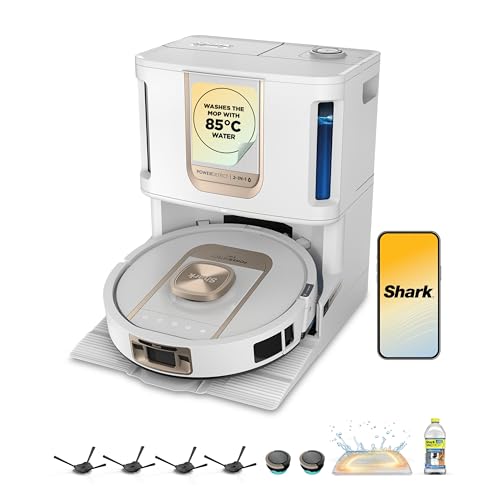
Shark ThermaCharged PowerDetect Robot Vacuum
Shark
- Heated mop cleaning base
- Dirt detect technology
- Edge cleaning extension
- Three hour battery life
- Auto water tank refill

Narwal Freo X Plus Robot Vacuum And Mop (White)
Narwal
- 7800Pa powerful suction
- Seven weeks dust storage
- Zero tangle brush design
- Self-emptying dustbin technology
- Tri-laser obstacle avoidance

Dreame X50 Ultra
Dreame
- 20,000Pa Vormax suction power
- Retractable legs climb 2.36in
- VersaLift lowers to 3.5in
- DuoBrush anti-tangle system
- Auto-empty self-cleaning base

Ecovacs Deebot X11 OmniCyclone
Ecovacs
- 19,500Pa BLAST suction power
- Bagless auto-empty station
- OZMO ROLLER 2.0 mopping
- PowerBoost 3-minute charging
- ZeroTangle anti-hair wrap

Eufy X10 Pro Omni
Eufy
- 8,000 Pa powerful suction
- Auto mop washing station
- Self-emptying dust collection
- AI obstacle avoidance
- Dual rotating mop pads

Shark PowerDetect robot vacuum
Shark
- 30-day self-emptying base
- Vacuum and mop combo
- 3D LiDAR mapping
- Anti hair wrap technology
- App and voice control

Irobot Roomba j7
iRobot
- PrecisionVision obstacle avoidance
- 10x power-lifting suction
- Smart mapping technology
- Pet hair resistant brushes
- App and voice control

Irobot Roomba Combo i8+
iRobot
- Self-emptying clean base
- Vacuum and mop combo
- Smart mapping technology
- Voice control compatible
- Four stage cleaning
What makes a robot vacuum smart?
Any robot vacuum will wander around a room and pick up crumbs. The smart ones know where they are. A smart robot vacuum cleaner builds a map of your home on its first run, splits it into rooms and then cleans in neat lines rather than bouncing off the skirting until the battery runs flat. Because it knows the layout, you can send it to the kitchen after dinner, skip the nursery during nap time or go round the dining table twice.
Four things separate these machines from a basic robotic vacuum:
- Precise navigation - laser-guided or AI vision technology instead of a gyroscope and bump sensor.
- A saved map in an app - rooms, no-go zones, invisible walls and a cleaning schedule for each area.
- Object recognition - the robot vacuum spots chargers, shoes and pet mess and goes round them.
- Automatic decisions - more suction on carpet, mop pads lifted on rugs, and a dock that empties the dustbin and washes the mop.
Older listings call the same idea an "intelligent robot vacuum", and newer ones an AI robot vacuum. The name matters less than the hardware, so the table further down lists the navigation and obstacle technology each vacuum cleaner actually uses.
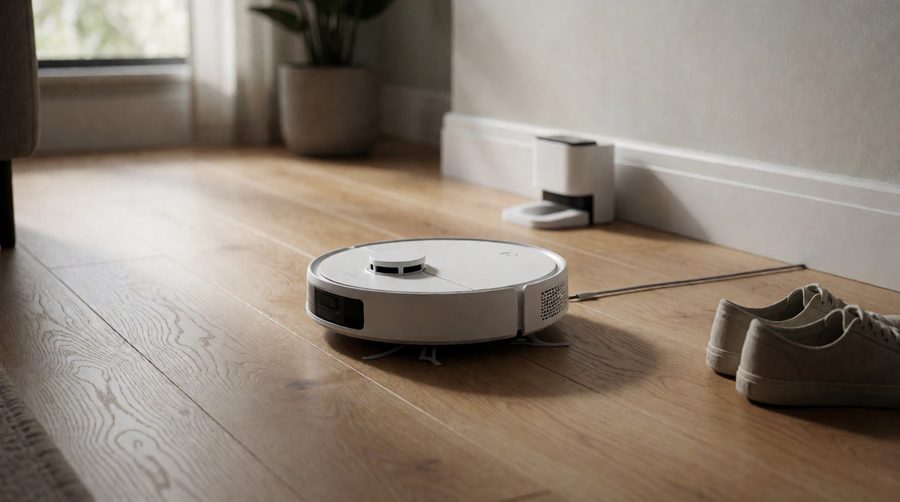
How smart robot vacuum cleaners navigate your home
Navigation is the single biggest difference between a robot vacuum cleaner that covers the whole floor and one that misses half of it. These are the main systems you'll see in a spec sheet.
Gyroscope and infrared sensors
The cheapest robot vacuum cleaners use a gyroscope to keep track of turns and infrared sensors to find walls and stairs. They clean in rows and can work well in one or two rooms, but the layout they store is rough or missing. The Lefant M210Pro is a good example: FreeMove 3.0 with 6D infrared sensors and 720-degree obstacle detection, a slim 7.8cm body and 120 minutes of runtime, but no room-by-room control.
LiDAR
A small turret on top spins through 360 degrees and measures how far away walls and furniture are. It builds an accurate map within the first run and works in the dark. The Tapo RV30 Max Plus pairs it with an IMU, and the Shark PowerDetect uses 3D 360° LiDAR Vision. A spinning laser is excellent for mapping but on its own can miss small, low things like a phone cable.
dToF (direct time of flight)
dToF times each pulse of light as it bounces back, giving very precise distances. Several newer models retract the sensor into the body so they can slip under low furniture - the Roborock Qrevo Edge 2 (RetractSense) and Mova Mobius 60 both do this, and the Xiaomi 5 Pro uses a lifting dToF sensor with a 9.5cm low-clearance height.
AI cameras and structured light
A front camera, backed by image recognition, lets the vacuum cleaner work out what is in front of it, not just that something is there. Structured light projects a pattern onto the floor to judge an object's shape and size. Ecovacs calls its version AIVI, and the Deebot T50 Pro Omni combines this with embedded dToF. The best obstacle avoidance comes from a laser sensor for the layout plus AI vision or structured light for what's on the floor.
| Navigation | How it works | Good at | Weak spot | Example in this range |
|---|---|---|---|---|
| Gyroscope + infrared | Tracks turns, senses walls | Small flats, low cost | Rough layout, no room control | Lefant M210Pro |
| LiDAR | Spinning sensor measures distance | Fast, accurate layouts, works in the dark | Can miss low clutter | Tapo RV30 Max Plus, Proscenic Q8 Max+ |
| dToF | Times light pulses, often retractable | Precise navigation, low profile | Usually mid-range and up | Roborock Qrevo Edge 2, Mova Mobius 60 |
| AI camera | Image recognition of objects | Identifies chargers, shoes, pet waste | Needs some light, raises privacy questions | iRobot Roomba j7 (PrecisionVision) |
| Laser + AI vision / structured light | Layout plus object recognition | Best all-round obstacle avoidance | Higher price | Eureka J15 Max Ultra, Ecovacs T80 Omni |
Smart robot vacuum cleaners compared
These figures come from the spec sheets of robot vacuum cleaners in this collection. A dash means the maker doesn't list it. Suction power in pascals (Pa) is only a rough guide to performance - brush design and airflow matter as much on carpet - but it does show where each robot vacuum sits.
| Model | Navigation | Obstacle avoidance | Suction | Runtime | Worth knowing |
|---|---|---|---|---|---|
| Roborock Qrevo Edge 2 | RetractSense dToF | 280+ object types | 25,000 Pa | - | 8.0cm tall, 80°C mop washing |
| Eufy E25 Omni | iPath + AI | 200+ obstacles | 20,000 Pa | 180 min | Hot air drying for the mop |
| Eureka J15 Max Ultra | LiDAR + AI camera | 150+ object types | 22,000 Pa | 360 min | Self-emptying and self-refilling |
| Ecovacs Deebot T80 Omni | AIVI 3.0 + LiDAR | 100+ objects | 18,000 Pa | - | Roller mop, Alexa and Google Assistant |
| Ecovacs T50 Pro Omni | dToF + 3D sensing | Structured light | 15,000 Pa | - | 8.1cm tall, 75°C mop washing |
| Mova Mobius 60 | Retractable dToF | - | 30,000 Pa | - | Climbs 5cm (8cm combined), 3 swap-in mops |
| Xiaomi 5 Pro | Lifting dToF | Active avoidance | 20,000 Pa | 120 min | 9.5cm clearance, 2 years of EU spares |
| Proscenic Q8 Max+ | 360° LiDAR | Structured light | 8,000 Pa | 200 min | 5 floor maps, tangle-free suction |
| Shark PowerDetect (60-day) | 360° LiDAR Vision | NeverStuck | - | 110 min | 60-day auto empty base |
| Tapo RV30 Max Plus | LiDAR + IMU | - | 5,300 Pa | 150 min | 4 floor maps, 22mm thresholds |
| iRobot Roomba j7 | PrecisionVision AI vision | Yes | - | 75 min | Alexa compatible |
| Lefant M210Pro | FreeMove 3.0 infrared | 720° detection | - | 120 min | 7.8cm tall, 500ml dustbin |

Smart features worth paying for
Room-by-room cleaning and no-go zones
Once the map is saved, the app lets you name rooms, set a different suction level and water flow for each one, and draw no-go zones round pet bowls, a play mat or the tangle of leads behind the TV. Invisible walls stop the robot vacuum wandering into a conservatory with a raised step. If precise layouts matter most to you, our smart mapping collection goes deeper.
Multi-floor maps
Carry the robot vacuum upstairs and a good vacuum cleaner recognises which floor it is on and loads the right map. The Proscenic Q8 Max+ stores 5 floor maps and the Tapo RV30 Max Plus 4, which covers most UK houses. See more multi-floor systems.
AI obstacle avoidance
This is where the newest models pull ahead. The Qrevo Edge 2 recognises 280+ object types, the Eufy E25 Omni 200+ and the Eureka J15 Max Ultra 150+. In real homes that means fewer rescues from phone chargers, fewer chewed socks and, for dog owners, no smeared accidents. Compare dedicated obstacle avoidance robots if your floor is often cluttered.
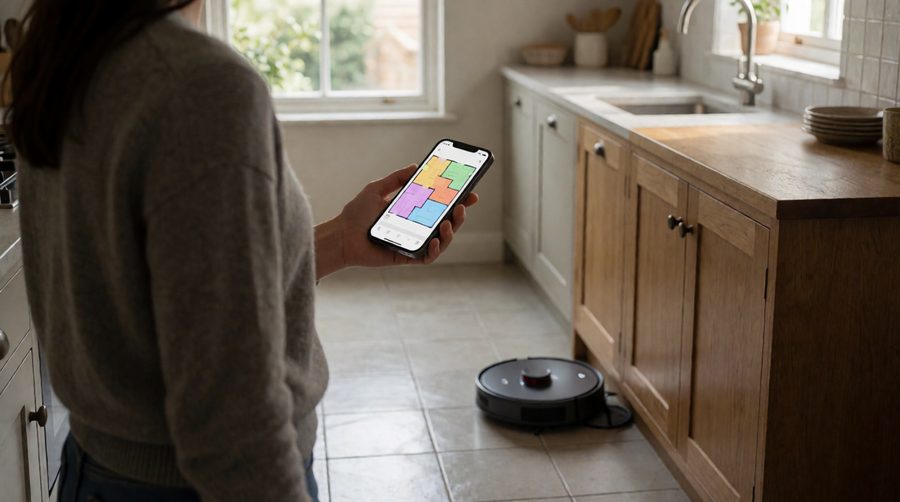
Carpet detection and mop lifting
A smart robot vacuum and mop senses carpet, boosts suction and lifts the mop pads so the carpet stays dry. Lift heights vary: the Eufy X10 Pro Omni raises its mops 12mm, the Eureka E20 Plus 10mm and the Lefant M5 Max 8mm. Deep-pile carpet needs the higher figure; a short-pile runner is fine with less.
Self-emptying and self-cleaning docks
The dock is what makes an all-in-one robot vacuum truly hands-off. A self-emptying robot vacuum cleaner sucks the dustbin into a sealed dust bag - the Shark PowerDetect base holds 60 days of dust and dirt - while all-in-one stations also wash the mop with hot water and finish with hot air drying. The Roborock Qrevo Edge 2 washes at 80°C and the T50 Pro Omni at 75°C, and the Eureka J15 Max Ultra refills its own water tank. Browse all-in-one robot vacuum stations or hot water robot vacuum mops if you want the base station to do the dirty work.

Voice control and the smart home
Most of the range works with Amazon Alexa and Google Assistant, so "Alexa, ask the robot to clean the kitchen" just works once the skill is linked. A few, including the Proscenic Q8 Max+, also list Siri shortcuts, and Ecovacs builds in its own YIKO voice assistant. A growing number of newer machines support Matter, the cross-brand smart home standard from the Connectivity Standards Alliance, which makes it easier to add a robot vacuum to Apple Home. Our Alexa mopping robots are all voice-ready.
2-in-1 robot vacuum and mop, or vacuum only?
Nearly every model in this collection is a robot vacuum cleaner with mop. A 2-in-1 robot vacuum sweeps up dust, dirt, crumbs and debris and then wipes the hard floor, which suits kitchens, hallways and homes with tiles, laminate or vinyl. Mopping systems range from vibrating pads (Shark PowerDetect) and spinning pads (Eufy X10 Pro Omni) to roller mops that rinse themselves as they go (Ecovacs T80 Omni, Lefant M5 Max). Rollers are the best at dried-on stains and sticky spills, and the self-cleaning ones keep mopping performance up for the whole run.
A vacuum-only robot still makes sense for a mostly carpeted home: it has nothing to lift and no water tank to fill. Whichever you pick, check edge and corner cleaning - an extending side brush or a mop that swings out to the skirting makes a visible difference along walls and kitchen units.
How to choose a smart robot vacuum cleaner
To choose a robot vacuum that suits your home, work through your floors, pets, furniture and budget in that order. The features that matter in a flat with hard floors are different from the ones a carpeted family house with a dog needs.
Start with your floors
Mostly hard floors? Prioritise mopping performance: a roller mop or spinning pads, hot-water washing and good edge cleaning. Mostly carpet? Look at suction power, an anti-tangle brush and carpet boost, and check the mop lifts high enough - or choose a vacuum-only robot vacuum cleaner.
Pet hair and allergies
Long hair and pet hair wrap round a bristle brush, so look for a rubber or split anti-tangle brush - the Ecovacs T50 Pro Omni quotes a 0% hair tangling rate with its ZeroTangle 2.0 system - and a big dust bag in the dock. Daily runs keep pet hair and dust under control, and Allergy UK has practical advice on cutting dust mites at home. See our picks for the best robot vacuum and mop for pet hair.
Furniture height
Measure the gap under your sofa and bed. Models with a retractable sensor are the slimmest: the Roborock Qrevo Edge 2 is 8.0cm and the T50 Pro Omni 8.1cm. A fixed turret on top usually adds a centimetre or two.
Thresholds and door strips
Most robot vacuum cleaners manage about 2cm. If you have raised door bars or a step down to the kitchen, look at climbers like the Mova Mobius 60 (5cm in one step, 8cm combined) or the Dreame X50 Ultra (about 6cm). Browse robots that climb thresholds.
Battery life and home size
Most of these robots recharge and resume where they stopped, but a long battery life - 360 minutes on the Eureka J15 Max Ultra or up to 5 hours on the Lefant M5 Max - means one charge can finish a big house, carpets included, without a break.
Noise
Most robots have a quiet mode for evenings, but the dock is the loud part: the Shark PowerDetect lists 70-75 dB while it empties. If that matters, schedule the clean for when you're out.
Budget
Clever features have filtered down fast. You can get proper mapping, no-go zones and voice control for a modest outlay - see our budget picks. Paying more buys AI obstacle avoidance, a hot-water mop-washing station and stronger carpet cleaning; our premium and luxury robots cover the flagship class - think Dreame's Ultra range or Roborock's Saros series.

Leading smart robot vacuum brands
Most of the machines on this page come from a handful of makers. Here is what each is known for, using machines from this collection where we can.
- Roborock - the Qrevo and Saros ranges. The Roborock Qrevo Edge 2 here pairs 25,000 Pa suction power with recognition of 280+ object types and a retractable sensor.
- Ecovacs - Deebot robots with AIVI obstacle avoidance, roller mops and the built-in YIKO voice assistant; the T80 Omni recognises 100+ objects.
- Eufy - Omni stations at sensible prices. The Eufy E25 Omni recognises 200+ obstacles and the Eufy X10 Pro Omni lifts its mops 12mm on carpet.
- Dreame - strong suction and good climbers: the Dreame X50 Ultra has 20,000 Pa and 180 minutes of battery, and the Dreame D20 Air Plus brings 20,000 Pa and LiDAR to a lower price.
- Shark - PowerDetect robots with LiDAR, NeverStuck technology, anti hair wrap brushes and bagless 60-day self-empty bases.
- iRobot - the Roomba j7 uses PrecisionVision navigation to avoid obstacles.
- Dyson - the Dyson Spot+Scrub Ai uses an HD camera to identify over 190 objects, household substances and stains, and scans its surroundings 7 times per second.
- Tapo - TP-Link's budget-friendly LiDAR robots, such as the RV30 Max Plus with 4 floor maps.
Maintenance and running costs
A self-emptying, self-cleaning dock cuts the jobs down, but no robot vacuum is maintenance-free. Plan for:
- Dust bags for the auto empty base - the Eureka E20 Plus dock lasts around 45 days, the Shark PowerDetect 60 days.
- Filters - tap out weekly and replace every few months.
- Brushes - cut hair off the main brush and side brush, and replace them when bristles wear.
- Mop pads or rollers - washable, but they wear out; the Shark ThermaCharged PowerDetect uses an anti-microbial pad.
- Water tanks - empty and rinse the dirty-water tank so the station doesn't smell.
Before buying, check how long spares will be available. Xiaomi lists 2 years of EU spare part availability for the 5 Pro, and big names like Roborock, Ecovacs, Eufy and Shark sell parts and consumables in the UK.
Privacy and security with AI robot vacuums
A robot that can see and map your home is a connected device, so treat it like a smart doorbell. Since 29 April 2024 the UK's product security regime bans universal default passwords on connectable products, requires makers to publish how to report security problems and makes them state how long the product will get security updates. Dyson, for example, says the Spot+Scrub Ai will get security updates until at least 1 September 2033 and that its AI processing runs on the robot itself rather than in the cloud.
- Check the update period on the box or product page before you buy.
- Use a strong, unique password for the app account and turn on two-step verification.
- Switch off live video or remote viewing if you don't use it.
- Keep the app and firmware updated.
The National Cyber Security Centre has a short guide to setting up smart devices safely, and the ICO explains your data rights with smart products.

Setting up your robot vacuum for the best results
- Put the dock against a wall on a hard floor near a socket, with the clearance the manual asks for - usually around half a metre each side and more in front.
- Let it charge fully before the first run.
- Check your Wi-Fi - many robot vacuum cleaners still connect on 2.4GHz only, so give that band its own name if your router merges them.
- Tidy the floor and open every door for the first mapping run.
- Split and name the rooms in the app, then add no-go zones and invisible walls.
- Set a schedule for when you're out, with extra passes in the kitchen and hallway.
- Link Alexa or Google Assistant if you want voice control.
Smart robot vacuum cleaner FAQs
Is a smart robot vacuum worth it over a basic one?
For more than one or two rooms, yes. A robot vacuum with proper navigation covers the floor in neat lines, cleans only the rooms you choose and avoids obstacles, so it finishes faster and gets stuck less.
Laser or camera - which is better?
LiDAR builds the better layout and works in the dark; a camera is better at recognising small objects such as a cable or a sock. The best robot vacuum models use both.
Do smart robot vacuum cleaners work without Wi-Fi?
Most will still clean from the button on top, but you lose room selection, schedules and voice control, which run through the app.
Will a robot vacuum fit under my sofa?
Measure the gap. Slim robots like the Roborock Qrevo Edge 2 (8.0cm) and Lefant M210Pro (7.8cm) fit under most sofas; a fixed turret usually needs 9-10cm.
Can a robot vacuum go upstairs?
No current model climbs stairs. Carry it up, or buy a second one; multi-floor maps mean it recognises each floor.
Do they work with Alexa and Google Home?
Nearly every model here does. Link the maker's skill or action and you can start, stop or send the robot vacuum to a room by voice.