

Refine
Sort by
Base station
Suction power
Navigation
Battery life
Smart features
Colour
Brand
Customer rating
More like this
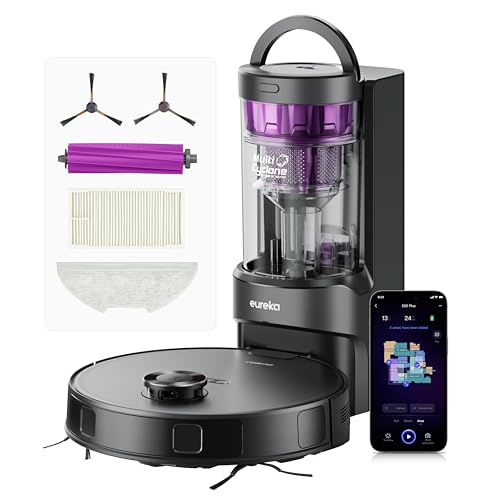

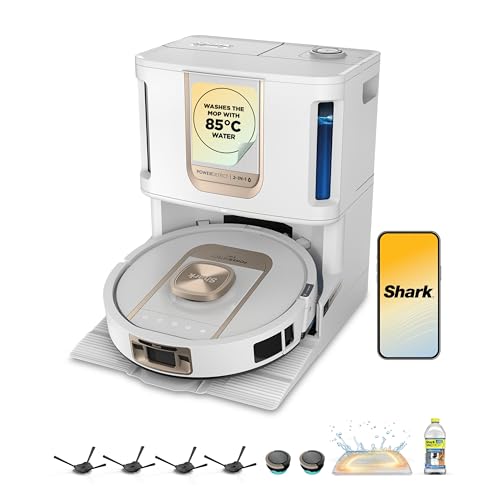

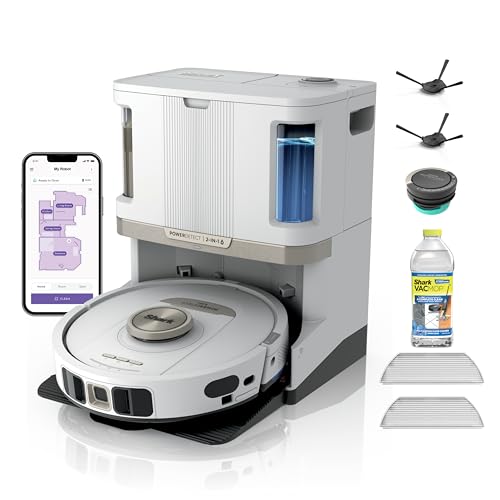
Shark PowerDetect robot vacuum
Shark
- 30-day self-emptying base
- Vacuum and mop combo
- 3D LiDAR mapping
- Anti hair wrap technology
- App and voice control

Irobot Roomba Combo i8+
iRobot
- Self-emptying clean base
- Vacuum and mop combo
- Smart mapping technology
- Voice control compatible
- Four stage cleaning

Seafront Mini Smart Sweeping Robot (Black, USB Charging)
Seafront
- USB charging capability
- Automatic obstacle avoidance
- Multi filtration system
- Hard floor cleaning
- Compact 18cm design

Irobot Roomba Combo j7
iRobot
- Retractable mop system
- PrecisionVision obstacle avoidance
- Smart mapping technology
- 4-stage cleaning system
- Voice control compatible

Irobot Roomba Combo 10 Max
iRobot
- 4-stage cleaning system
- AutoWash dock included
- SmartScrub mopping technology
- Auto-retract mop system
- Advanced obstacle avoidance
What makes a robot mop low maintenance?
A basic robot mop saves you pushing a mop round the kitchen, but it hands you a list of small jobs in return. Someone has to empty the dustbin, rinse and refill the water tank, wash the mop pads, cut hair off the brush and clean the filter. On a robot with a 300ml bin and a small water tank, that can mean a few minutes of fiddly work after every single clean.
The robots in this range move most of those jobs into the dock. The robot drives home, the base station sucks the dust out into a bag or bin, washes the mop pads in clean water, dries them with warm air and, on the best robots, refills the robot's tank and doses detergent. You still look after the dock, but you do it every few weeks rather than every day.
| Job | Basic robot mop | Robot mop with an all-in-one dock |
|---|---|---|
| Empty the dustbin | After most runs (bins of 0.2-0.8 litres) | The dock empties it - you change the bag or bin every 30-120 days |
| Wash the mop pads | Take them off and wash them by hand | Washed in the dock, often in 70-80°C hot water |
| Dry the mop pads | Hang them up or they go musty | Warm air drying, usually 45-55°C |
| Refill water | Fill the robot's small tank every time | A 2.5-4 litre clean tank, or auto water refill |
| Hair on the brush | Cut it off with scissors | Anti-tangle rollers and combs keep most of it off |
| Cleaning solution | Mix it into the tank yourself | Some docks dose detergent automatically |
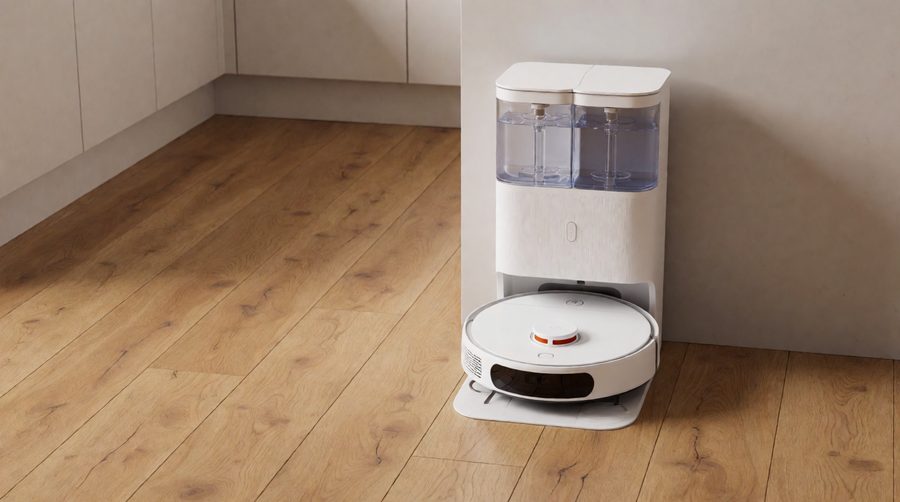
The jobs an all-in-one base station takes off your hands
Not every dock does everything. Some only empty the dustbin, some only wash the mop, and the all-in-one "Omni" or "Ultra" stations do the lot. These are the features that cut the most work, and the real figures from the robots in this range.
Self-emptying the dustbin
After each clean the dock pulls the dust out of the robot through a vent underneath. How long a robot vacuum dock lasts before you need to step in depends on the size of the bag or bin. The Shark PowerDetect models hold up to 60 days of debris, the Eureka E20 Plus up to 45 days, the Dreame L50 Ultra up to 100 days and the Lefant M5 Pro up to 120 days. Those figures assume a typical home - a busy house with a long-haired dog will fill the dock sooner. If this is the feature you care about most, our auto empty robot vacuums range is built around it.
Washing the mop pads with hot water
Mopping is the dirty half of a robot's job. A pad that has wiped a kitchen floor needs washing, or the robot just spreads grime and starts to smell. Self-cleaning docks pump fresh water over the pads and scrub them against a ribbed tray, then send the dirty water to a separate tank. Hot water mop washing does a better job on grease: the Ecovacs Deebot T80 Omni and T50 Pro Omni wash at 75°C, while the Roborock Qrevo Edge 2, the Xiaomi 5 Pro and the Eureka J15 Max Ultra go up to 80°C. Browse our hot water mop washing models for more.
Drying the pads so they don't smell
A damp pad left in a dark dock turns musty within a day or two. Hot air drying blows warm air over the pads after the wash. The Ecovacs T80 Omni dries at 45°C, the Roborock Qrevo Edge 2 and Eureka J15 Max Ultra at 55°C, and the Eufy E25 Omni between 35°C and 50°C. The Lefant M5 Pro lets you set a 2, 3 or 4-hour drying time, which is handy if the fan noise bothers you at night.
Refilling the water and dosing detergent
Most all-in-one docks carry a clean water tank and a dirty water tank of 2.5-4 litres each, so you top one up and empty the other every week or two instead of after every clean. Some go further. The Ecovacs T80 Omni, the Ecovacs T30S and the Lefant M5 Pro list auto water refill, the Shark NeverTouch Pro base holds 30 days of water, and some makers sell a separate kit that plumbs the dock into your water supply and drain so you never carry a tank again. Docks with a detergent compartment, like the Dreame L50 Ultra with its 200ml cleaning solution store, add the right dose for you. See our mops with dirty water tanks and mops that use cleaning solution for the details.
Anti-tangle brushes
Hair wrapped round a robot's main brush is the job most owners hate, and it gets worse with pets. Anti-tangle designs use rubber rollers, combs or blades that cut or push hair into the bin. Ecovacs calls its version ZeroTangle (now at 4.0 on the X12 OmniCyclone), Shark uses self-cleaning anti hair wrap brushrolls, and Eureka uses a V-shaped rubber roller. None is perfect, but they cut a weekly scissors job down to a quick check. Pet owners should also look at our robot vacuums for pet hair.

Roller mops vs spinning pads vs flat pads: which needs the least upkeep?
The mop design changes how much cleaning the robot needs, not just how well it cleans the floor.
- Roller mops - a long cloth roller, like a paint roller, that is rinsed with fresh water and scraped clean while the robot is still mopping. Because it is cleaned as it goes, it spreads less dirty water around and comes back to the dock in better shape. The Ecovacs OZMO Roller (on the X12 OmniCyclone and T80 Omni), the Lefant M5 Pro's 20cm roller and the Mova Ultra Roller all use this design.
- Spinning mop pads - two round pads that rotate and press down on the floor. They scrub well and lift off when the robot reaches a rug, but they only get cleaned when the robot returns to the dock, so a good washing and drying station matters more.
- Flat or vibrating pads - a single pad that wipes or vibrates, found on cheaper robots and on Shark's sonic mopping robots. On a robot without a washing dock you take the pad off and wash it yourself after every mop.
If you want the least hands-on mopping, a roller mop or spinning pads paired with a hot water washing dock is the combination to look for. Our self-cleaning robot vacuum and mop page lists the robots that wash their own mops.
Low maintenance robot mops compared
These figures come from the listings of robots in this range. "Not listed" means the maker does not give a figure, not that the feature is missing.
| Model | Dust emptying | Mop washing | Mop drying | Water | Hair |
|---|---|---|---|---|---|
| Lefant M5 Pro | Up to 120 days | 75°C, 20cm roller | 2, 3 or 4 hours | Self-refilling | Zero-tangle V-shaped brush |
| Dreame L50 Ultra | Up to 100 days, 2 bags included | Self-cleaning mop | Not listed | 200ml solution store | Not listed |
| Roborock Qrevo Edge 2 | Up to 65 days | 80°C | 55°C | Not listed | Zero-Tangle |
| Shark PowerDetect NeverTouch Pro | Up to 60 days | Automatic | Automatic | 30 days, self-refilling | Not listed |
| Ecovacs Deebot T80 Omni | Yes | 75°C, OZMO roller | 45°C | Auto water refill | ZeroTangle 3.0 |
| Ecovacs Deebot X12 OmniCyclone | Bagless station | Self-washing OZMO Roller 3.0 | Not listed | Not listed | ZeroTangle 4.0 |
| Eureka J15 Max Ultra | 4 litre bag | 80°C | 55°C | Self-refilling | Not listed |
| Eufy E25 Omni | 3 litre bag, change about every 75 days | Yes | 35-50°C | 2.5 litre clean tank | Auto-detangling brushes |
| Mova Mobius 60 MopSwap | Not listed | Hot water wash, UV sterilisation, 3 swappable mops | Not listed | Not listed | Triple anti-tangle DuoBrush |
| iRobot Roomba Combo 10 Max | Yes, bag included | AutoWash dock | Not listed | Not listed | Not listed |
| Narwal Freo X Plus | Up to 7 weeks | Not listed | Not listed | Manual | Zero tangle floating brush |
| Eureka E20 Plus | Up to 45 days, bagless | No (10mm mop lift) | No | Manual | V-shaped rubber roller |
| Proscenic Q8 Max+ | 3 litre bag, up to 60 days | No | No | Manual | Not listed |
The DJI Romo P goes further still: its listing claims up to 200 days of maintenance-free operation from a base station that empties the dust, washes and dries the mop, with an anti-tangle roller brush.

Carpets and rugs: keeping the mop off them
A robot that drags a wet pad across your rug creates a new job - drying and cleaning the rug. That makes carpet handling part of a hands-off robot, not just a cleaning feature.
Mop lifting
Most robots lift the pads when they sense carpet. The Eureka E20 Plus lifts its mop by 10mm and the Dreame L50 Ultra by 10.5mm. That is enough for short-pile carpet and thin rugs, but deep shaggy rugs can still get damp, so set those as no-mop zones in the app.
Mops that leave the robot
A few robots take the mop off altogether before vacuuming carpet. The Roborock Qrevo Edge 2 detaches its two rotating mop modules at the dock, the iRobot Roomba Combo 10 Max retracts its mop pad up on to the top of the robot, and the Mova Mobius 60 MopSwap swaps between three mops at its station. The Kärcher RCV 5 uses automatic carpet recognition to keep its mop off carpets entirely.
Carpet and hair
Carpet holds far more hair and fluff than hard floors, so a robot that cleans a lot of carpet fills its bin faster and works its brushes harder. If most of your floor is carpet, a large dock and a tangle-resistant brush matter even more. Our multi-floor robot vacuums handle a mix of carpet and hard floors.
Smart features that mean fewer rescues
A robot that gets stuck under the sofa or eats a phone cable is not hands-off, however good its dock. These features cut the times you have to step in:
- LiDAR navigation - a spinning laser maps each room so the robot cleans in neat lines and finds its way home. The Kärcher RCV 5 stores up to 10 floor maps, and the Narwal Freo X Plus pairs LiDAR navigation with tri-laser obstacle avoidance.
- Obstacle recognition - cameras spot socks, cables and pet mess. The Roborock Qrevo Edge 2 lists 280+ object types.
- Schedules and no-go zones - set it once in the app and it cleans the kitchen every evening while staying away from the dog's water bowl.
- Voice control - most robots here work with Alexa and Google Assistant, so you can send them to a spill without finding your phone.
- Recharge and resume - the iRobot Roomba Combo i8+ and many others charge mid-clean and carry on where they stopped.
Our obstacle avoidance robot vacuums and robot vacuum and mop with mapping ranges go into these in more depth.
Bag or bagless dock?
Self-emptying docks either blow the dust into a sealed bag or into a bagless bin with a cyclone, and each has a trade-off.
- Bagged docks - you lift out a full bag, which seals itself, and drop it in the bin. Very little dust escapes, which matters if anyone at home has a dust mite allergy (Allergy UK's house dust mite factsheet explains why). The catch is buying replacement bags.
- Bagless docks - no bags to buy. The Ecovacs X12 OmniCyclone and X11 OmniCyclone, the Eureka E20 Plus and the Shark Navigator bagless base all use this design. You empty a bin into the rubbish and rinse or tap out the filter now and then, which can puff some dust into the air.
Our bagless robot vacuum mops page has the full range without bags.
The upkeep that never goes away
Even the most hands-off robot needs a few minutes of care now and then. The difference is that you do it on a calendar, not after every run. These are typical jobs - always follow your manual, and keep an eye on the app, which on most robots tracks how worn each part is.
| Task | How often (typical) | Why |
|---|---|---|
| Empty the dirty water tank and rinse it | Every 1-2 weeks, or when the app says | Stops smells and slime building up |
| Top up the clean water tank | Every 1-2 weeks (never, with auto refill) | The robot can't mop without it |
| Change the dust bag or empty the dock bin | Every 30-120 days | A full dock stops emptying the robot |
| Clean the dock's washing tray | Every 2-4 weeks | Grit and hair collect where the pads are scrubbed |
| Check the main brush and side brush for hair | Every 2-4 weeks | Even anti-tangle brushes catch some hair |
| Wash or tap out the filter | About monthly | A clogged filter cuts suction |
| Wipe the sensors and camera | About monthly | Dirty sensors cause bumps and missed spots |
| Replace mop pads, brushes and filters | When the app shows they are worn | Worn parts clean less well |
Kärcher's own robot vacuum and mop range is a good example of how this works: the app shows the percentage of each part that is used up, and the rollers and cloths can be rinsed under the tap. It's also worth turning on app updates, as new software can improve navigation and obstacle avoidance over time.
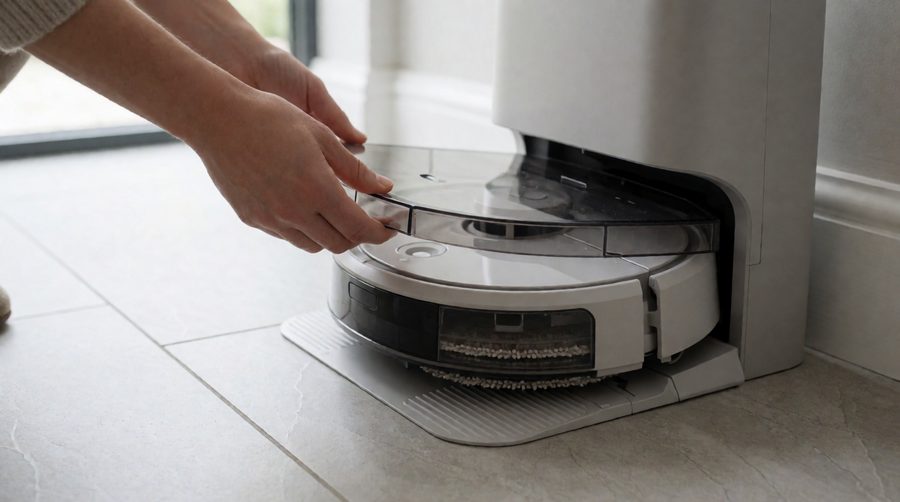
Running costs: what you'll keep buying
A self-emptying, self-washing robot saves you time, but it doesn't make the consumables free. Before you buy, check that the following are easy to get in the UK:
- Dust bags for bagged docks. A 3-4 litre bag such as the Eufy E25 Omni's is designed to be swapped roughly every 75 days.
- Mop pads or roller covers, which wear out with regular hot water washing.
- Side brushes, main brushes and filters, usually sold as a kit.
- Cleaning solution, if your dock doses detergent. Use the maker's own - Good Housekeeping and most manuals warn that vinegar or other floor cleaners can damage the robot and void the warranty.
Spare parts support matters too. The Xiaomi 5 Pro and iRobot Roomba Combo 10 Max listings both promise 2 years of EU spare part availability. Which?'s guide to buying a robot vacuum is worth reading on reliability and running costs. When a robot finally does wear out, its lithium battery should go to an electrical recycling point rather than the bin - Recycle Your Electricals lists your nearest one.
Who needs a robot mop that looks after itself?
- Busy households - set a schedule in the app and forget about it for weeks.
- Pet owners - hair is what clogs basic robots fastest, so a big dock and anti-tangle brushes pay off.
- Allergy sufferers - a sealed bag and HEPA filtration mean less contact with dust.
- Anyone who finds bending down hard - emptying a 300ml bin every day is a real chore if you have back or knee problems. A dock you deal with once a month is far easier.
- Bigger homes - a robot that empties and re-washes mid-clean can keep going over a large floor area. See our robot mops for large areas.
If you live in a small flat with mostly hard floors and don't mind a quick weekly rinse, a cheaper robot may be all you need - our budget robot vacuum and mop page has the options.

How to choose the most hands-off robot mop
- Days between emptying - 45 days is good, 60-120 days is better.
- Mop washing temperature - 70-80°C hot water cleans greasy pads better than cold.
- Hot air drying - avoids musty pads. Adjustable drying time is a bonus.
- Auto water refill or a big clean water tank - 2.5 litres or more means fewer trips to the tap.
- Anti-tangle main brush - on any robot vacuum and mop it's essential with pets or long hair.
- Bag or bagless - bags for allergies, bagless to avoid buying bags.
- Dock size - all-in-one robot stations are tall and deep, so measure the space first.
- Spare parts - check filters, pads and bags are sold in the UK.
- Navigation - LiDAR mapping and obstacle avoidance mean fewer rescues from under the sofa, which is the other half of a hands-off robot.
For everything with a dock that does the lot, browse our all-in-one robot mops with charging stations.
Low maintenance robot mops: FAQs
How often do you need to clean a robot mop?
With a self-cleaning dock, the robot washes its own pads after every clean. You empty the dirty water tank, top up the clean tank and clean the washing tray every week or two, and change the dust bag every one to four months. Without a washing dock, the pads need washing after every mop.
Do self-cleaning robot mops still need maintenance?
Yes, but far less. You still need to empty the dock, check brushes for hair, wash the filter, wipe the sensors and replace worn parts. Expect a few minutes every week or two instead of a few minutes every day.
Is an automatic mop worth it?
An automatic mop is worth it if you mop hard floors often and want to stop doing it by hand. The extra cost of a washing and drying dock is what makes it genuinely hands-off - a robot mop without one saves you the mopping but not the pad washing.
Can you put cleaning solution in a robot mop?
Only the solution your robot's maker approves. Many brands, including Dreame and Ecovacs, sell their own. Vinegar and household floor cleaners can damage seals and pumps or leave residue, and may void the warranty.
How long do robot vacuum dust bags last?
Most docks in this range hold 45-120 days of dust, depending on the size of the bag and how dirty your floors get. The app or a light on the dock tells you when it's full.
Which robot mop needs the least maintenance?
Look for an all-in-one dock that self-empties, washes the mop in hot water, dries it, refills the water and has an anti-tangle brush. In this range the Lefant M5 Pro (up to 120 days between emptying), the Ecovacs Deebot T80 Omni and the Shark PowerDetect NeverTouch Pro tick most boxes, and the DJI Romo P claims up to 200 days.