

Refine
Sort by
Base station
Suction power
Navigation
Battery life
Smart features
Colour
Brand
Customer rating
More like this
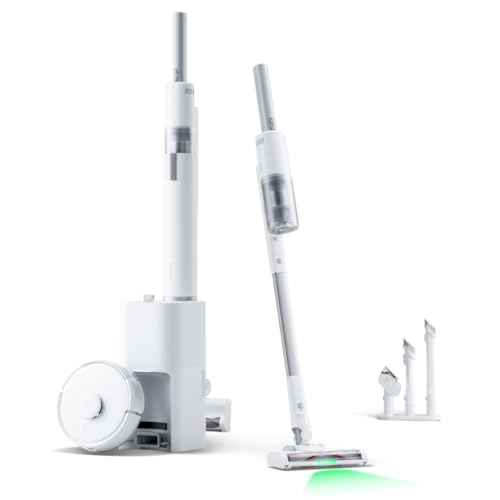


Coredy Robot vacuum cleaner
Coredy
- 2200Pa strong suction power
- 3-in-1 vacuum sweep mop
- Wi-Fi app voice control
- Boost-Intellect carpet technology
- Virtual boundary magnetic strips

Shark Stratos robot vacuum
Shark
- 30 days hands-free cleaning
- Self-emptying NeverTouch base
- Sonic mopping technology
- 360° LiDAR mapping
- AutoLift carpet protection

Tapo RV30 Max Plus Robot Vacuum Cleaner (5300Pa, Black)
Tapo
- 5300Pa hyper suction power
- LiDAR dual navigation mapping
- Auto-empty dock included
- Vacuum and mop functions
- 150 minutes battery life

Xiaomi Robot Vacuum Cleaner
Xiaomi
- 20000Pa powerful suction
- Self-cleaning base station
- 80°C hot water cleaning
- Retractable LiDAR navigation
- Extendable mop pads
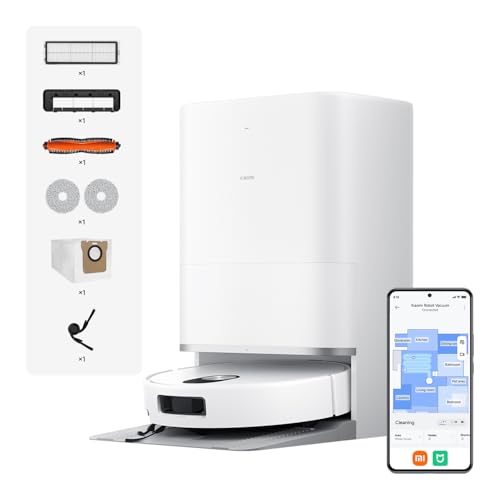
Xiaomi 5 Pro
Xiaomi
- 20,000Pa powerful suction
- AI obstacle recognition
- Self-cleaning base station
- 80°C hot water washing
- LiDAR navigation system

Ecovacs DEEBOT T50 PRO OMNI Gen 3
Ecovacs
- 15,000Pa powerful suction
- Ultra-slim 8.1cm design
- Self-cleaning mop station
- AI obstacle avoidance
- Auto-empty dustbin function

Eureka E20 Plus Robot Vacuum (Black, 35.1cm x 35.1cm)
Eureka
- Bagless self-emptying station
- 8000Pa powerful suction
- LiDAR navigation system
- Anti hair-tangling brush
- 2-in-1 vacuum mop

Dreame L50 Ultra robot vacuum
Dreame
- 19,500Pa powerful suction
- Auto-empty base station
- Self-cleaning mop system
- Obstacle avoidance technology
- 180-minute battery life

Mova Ultra Roller Robot Vacuum
Mova
- 28,000Pa ultra suction power
- Anti-tangle dual brush system
- AutoShield carpet protection technology
- Self-cleaning mop washing station
- Edge-to-edge cleaning coverage

Ecovacs Deebot T30S Robot Vacuum Cleaner And Mop (Black)
Ecovacs
- 11,000Pa powerful suction
- Hot water mop washing
- ZeroTangle anti-hair technology
- TruEdge adaptive edge mopping
- All-in-one OMNI station

Shark Matrix RV2310AE robot vacuum
Shark
- Matrix Clean precision grid
- Self-empties for 45 days
- 360° LiDAR mapping
- Self-cleaning brushroll
- Bagless base system

Shark PowerDetect Robot Vacuum And Mop (White, 60-Day Self-Emptying)
Shark
- 60-day self-emptying capacity
- 3D LiDAR vision mapping
- Sonic mopping technology
- PowerDetect cleaning sensors
- Anti-allergen complete seal

Shark Navigator robot vacuum with self-empty base
Shark
- SmartPath LiDAR navigation mapping
- Self-empty bagless base
- Anti-hair wrap brushroll
- Object detection avoidance
- 60-day dirt capacity

Ecovacs Deebot T80 Omni (Black)
Ecovacs
- OZMO roller mopping system
- 18,000Pa suction power
- ZeroTangle 3.0 technology
- Smart OMNI station
- Voice control compatible
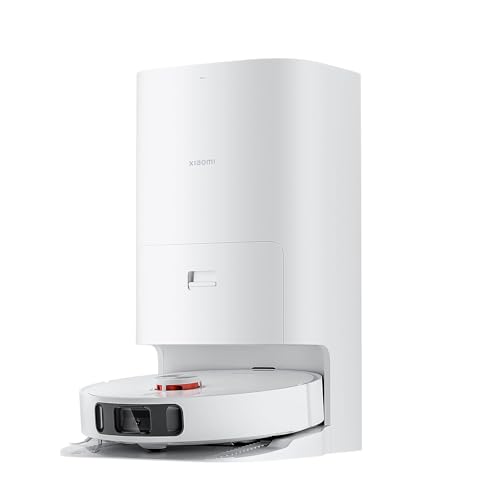
Xiaomi Mi Robot Vacuum Cleaner X10+
Xiaomi
- 4000Pa super suction power
- Self-cleaning rotating mop pads
- Auto-empty dust station
- AI obstacle avoidance technology
- 120-minute battery life
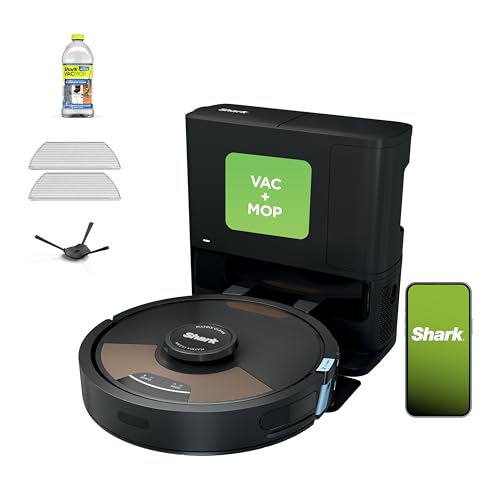
Shark Matrix Plus
Shark
- Self-emptying 60-day capacity
- Sonic mopping technology
- Matrix Clean grid pattern
- HEPA filtration system
- 360° LiDAR mapping
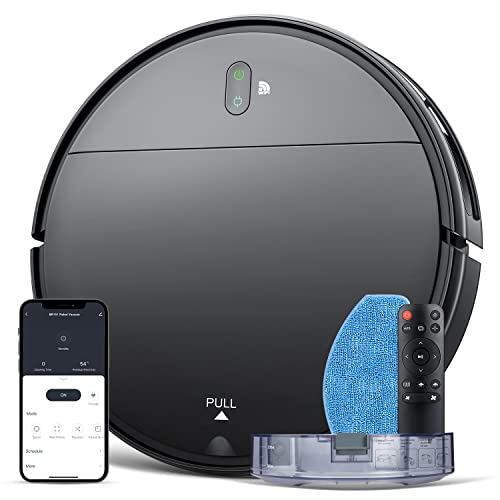
Robot Vacuum and mop combo
MAMNV
- 2-in-1 vacuum and mop
- 1400Pa suction power
- 100 minute battery life
- App and voice control
- Brushless suction port

Tcl Robot Vacuum Cleaner
TCL
- 2700Pa powerful suction
- Laser navigation mapping
- 120-minute battery life
- Alexa voice control
- Four suction levels

Shark PowerDetect Robot Vacuum
Shark
- 5x PowerDetect cleaning technologies
- 60-day self-emptying capacity
- 3D LiDAR navigation mapping
- Sonic mopping with pad washing
- NeverStuck threshold climbing technology

Narwal Freo X Plus Robot Vacuum And Mop (White)
Narwal
- 7800Pa powerful suction
- Seven weeks dust storage
- Zero tangle brush design
- Self-emptying dustbin technology
- Tri-laser obstacle avoidance
What makes a robot vacuum cleaner cordless?
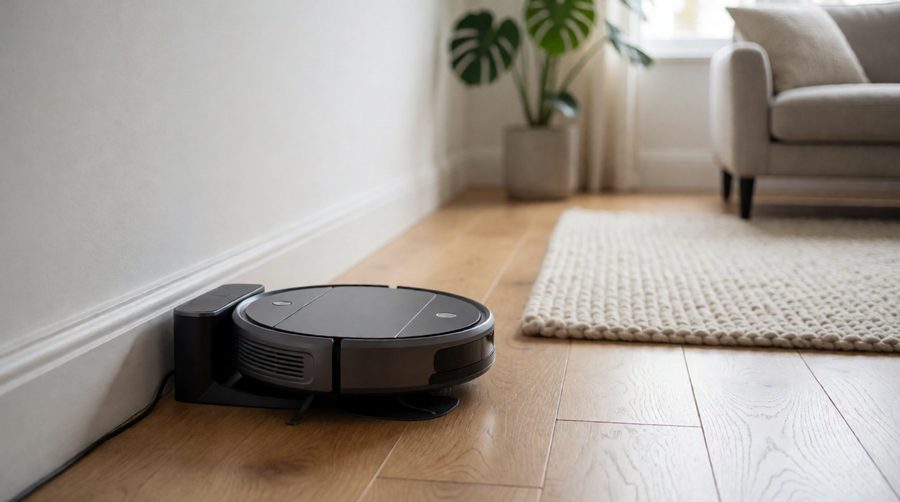
Every robot vacuum cleaner is battery powered. The robot vacuum itself never has a cable: it drives off its dock, cleans, then drives back and charges. So "cordless" and "rechargeable" describe the same thing - a lithium-ion battery inside the robot and a charging dock that stays plugged into a socket.
That makes them different from a cordless stick vacuum, which you push yourself and charge on a wall bracket. A robot vacuum does the cleaning on a schedule, and the charge decides how much of your home it covers before it has to go back.
The dock can be anything from a small charging pad to a tall all-in-one station that empties the bin, washes the mop pads and refills the water tank. Either way, it is where the robot recharges. Choosing between cordless robot vacuums comes down to three numbers:
- Run time - how many minutes it cleans on one charge (usually quoted on the lowest power setting).
- Charge time - how long it takes to refill the battery, usually 3 to 6 hours.
- Recharge and resume - whether it goes back to finish the job after topping up.
Run time: what the battery figures really mean
Most listings quote the longest run time the robot vacuum can manage, which is almost always on its quietest, lowest-suction setting on hard floors. Turn the suction up, send it onto carpet or ask it to mop as well, and the real figure drops.
Two models in this range show how big the gap can be. The Xiaomi 5 Pro lists 120 minutes, but 90 minutes at maximum suction. The Lefant M5 Pro lists up to 320 minutes vacuuming only, and up to 180 minutes when it vacuums and mops at once.

mAh and run time
Battery capacity is given in milliamp hours (mAh). A bigger number stores more energy for the robot vacuum, but it is not a run time on its own: a robot vacuum cleaner with strong suction and a heavy mopping system uses that energy faster. In this collection the stated capacities run from 2,500mAh on the budget MAMNV BR151 to 6,400mAh on the Ecovacs Deebot T30S Pro, with 5,200mAh the most common size (Eureka, Xiaomi).
What drains the battery fastest
- Maximum or "boost" suction, especially when carpet detection turns the power up automatically.
- Mopping with a spinning or roller mop, which needs its own motor.
- Thick rugs and deep-pile carpet, where the brush has to work harder.
- A clogged brush or full bin. iRobot notes that a robot "clogged with hair or debris" has to work harder "and exhaust the battery faster".
For an independent check, Which? lists claimed run times from 65 minutes (Dyson 360 Vis Nav) to 216 minutes (Eufy Omni S1 Pro) on the models it has tested, with claimed charge times from 2 hours 45 minutes up to six hours.
Cordless robot vacuum cleaners compared: battery and run time
These figures come from the product listings for models in this collection. Run times are the maker's maximum, so treat them as a best case and compare like with like.
| Model | Battery | Listed run time | Suction | Worth knowing |
|---|---|---|---|---|
| Ecovacs Deebot T30S Pro | 6,400mAh | 180 min | 11,000Pa | Charging 40% faster than the previous model |
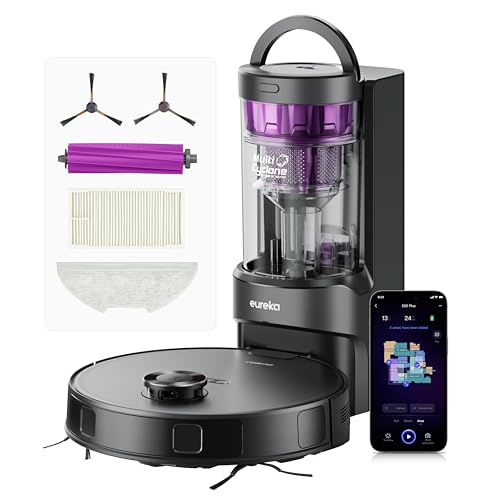
| Eureka E20 Plus | 5,200mAh | 180 min | 8,000Pa | Bag-free self-emptying base, 65dB |
| Eureka E20 Evo Plus | 5,200mAh | 180 min | 10,000Pa | Climbs 20mm thresholds |
| Xiaomi 5 Pro | 5,200mAh | 120 min (90 at max) | 20,000Pa | Self-emptying dock with a bag |
| Xiaomi X10+ | 5,200mAh | 120 min | 4,000Pa | 3.5 to 4 hour charge time |
| Xiaomi Robot Vacuum (3.8kg) | 5,200mAh | 2.5 hours | 1,800Pa | About 250m² per charge, auto recharge |
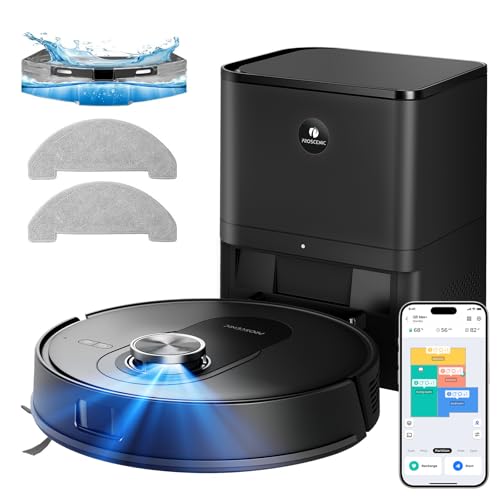
| Proscenic Q8 Max+ | 3,200mAh | 200 min | 8,000Pa | 230m² coverage, recharge and resume |
| Tapo RV30C | 3,200mAh | Up to 3 hours | 4,200Pa | 53dB, HEPA filter |
| Lefant M3 | - | 220 min | 12,000Pa | 220m² coverage, 9mm mop lifting |
| Lefant M5 Pro | - | 320 min (180 with mopping) | 18,000Pa | Longest vacuum-only time here |
| Ecovacs Deebot X11 OmniCyclone | - | 200 min | 19,500Pa | PowerBoost: 3 minutes adds 6% |
| Dreame L50 Ultra | - | 180 min | 19,500Pa | 10.5mm mop lifting |
| Shark Matrix Plus | - | 110 min | - | HEPA filtration |
| iRobot Roomba j7 | - | 75 min | - | Light at 3.4kg |
| Shark Navigator RV2120AE | - | 60 min | - | Recharge and resume, self-empty base |
| MAMNV BR151 | 2,500mAh | 100 min | 1,400Pa | About 1,290 sq ft (120m²) |
The Eureka J15 Max Ultra lists the longest time of all at 360 minutes, which can only be on its gentlest setting. Use it as a sign of a large battery rather than a promise of six hours of real cleaning.
How much run time do you need?
A useful rule when choosing a cordless robot vacuum is to look at the stated coverage in square metres, where a listing gives one, and then allow for carpet and mopping. A three-bedroom semi is often around 80 to 100m² in total floor area, and less than that to clean once beds, sofas and kitchen units are taken out.
Flats and small homes
Anything listing 90 minutes or more will cover a flat in one go. Here a compact body matters more than battery size - see our small robot mops - and so does price, which is where the budget robot vacuum and mop range comes in.
Family homes
For a three or four-bedroom house, aim for 150 minutes or more, especially if the robot mops too. The Eureka E20 Plus and Proscenic Q8 Max+ sit in this band. Multi-floor mapping helps if you carry it upstairs; see robot vacuum and mops with mapping.
Large and open-plan homes
Big ground floors need 180 minutes or more, plus recharge and resume so a run that ends early is finished later. Our robot mops for large areas focus on exactly this.
How to get more cleaning from each charge
A few settings in the app make a bigger difference to real run time than an extra 1,000mAh. These work on almost any robot vacuum and mop:
- Leave suction on auto. Most robot vacuums boost power on carpet and drop back on hard floors. Running at maximum everywhere is the fastest way to flatten the battery.
- Set floor types and no-go zones on the map. Marking rugs, under-bed spaces and cluttered corners stops the robot wasting charge on areas it cannot clean well.
- Clean little and often. A short daily cleaning run on a schedule picks up dust and pet hair before it builds up, so each run needs less power than a weekly deep clean.
- Vacuum first, mop later. On larger homes, split dry and wet cleaning into two runs so neither one runs out of charge halfway.
- Keep the sensors clean. Wipe the LiDAR cover, cliff sensors and camera now and then; a robot vacuum that cannot see an edge or obstacle properly wanders and wastes charge.
- Empty the dust bin and wash the filter. A full bin or clogged filter cuts airflow, so the motor works harder for the same result.
Where to put the charging station
The robot vacuum has to find its way home, so the station needs clear space at the sides and in front - each maker gives the exact distances in the manual. Put it on a hard floor against a wall, away from stairs, with a strong Wi-Fi signal for the app. A central spot cuts the distance the robot travels back to recharge, which matters most for recharge and resume in big homes.
Recharge and resume, charge time and fast charging
When the battery runs low mid-clean, a robot vacuum with recharge and resume (also called auto-recharge or breakpoint resume) goes back to the dock, charges enough to finish, then returns to the spot where it stopped. Without it, the robot vacuum docks and the rest of the house waits for tomorrow. It is the most useful battery feature for anyone with more floor than one charge covers.
How long they take to charge
Most robots take 3 to 6 hours to charge from flat, and the first charge out of the box is often the longest. The Coredy R750 robot vacuum cleaner lists 4 to 5 hours and the Xiaomi X10+ 3.5 to 4. Which? reports charge times from 2 hours 45 minutes to six hours across the models it tested. Because the robot sits on its dock between runs, a long charge time only matters if you run it more than once a day.
Fast charging
Some newer robot vacuums top up quickly while the dock does other jobs. Ecovacs says its PowerBoost charging on the Deebot X11 OmniCyclone adds 6% in 3 minutes, so short charges during mop washing stretch a single run. The Deebot T30S Pro charges 40% faster than the model before it.

Run and charge times by brand
To see how the big names compare, here are the claimed figures Which? lists for the robot vacuums it tested in 2026. They are the makers' own numbers, so read them alongside the notes on settings above.
| Robot vacuum cleaner | Claimed run time | Claimed charge time | Mops? |
|---|---|---|---|
| Eufy Omni S1 Pro | 216 min | 4 hr | Yes (roller mop) |
| Dyson Spot+Scrub Ai | 200 min | 3 hr | Yes (wet roller) |
| Eufy Omni C20 | 200 min | 3 hr | Yes |
| Samsung Bespoke Jet Bot Combo AI+ | 180 min | 5 hr | Yes |
| Beko VRR60314VW | 150 min | 6 hr | Yes (mopping cloth) |
| Xiaomi Robot Vacuum 5 | 140 min | 6 hr | Yes |
| Shark PowerDetect NeverTouch Pro 2-in-1 | 110 min | 4 hr | Yes |
| Shark Matrix Plus 2-in-1 | 110 min | 6 hr | Yes |
| Dyson 360 Vis Nav | 65 min | 2 hr 45 min | No |
Dyson
Dyson's two robots sit at opposite ends. The 360 Vis Nav is a vacuum-only robot with a short 65-minute run time, while the Spot+Scrub Ai wet and dry robot vacuum cleaner claims up to 200 minutes. Dyson's footnote says that figure is in Quiet mode in an unobstructed space, and that "actual run time may vary based on power mode, floor type". Its dock self-empties, cleans the roller, refills the robot and recharges it.
Eufy
Eufy's Omni models claim some of the longest run times, at 200 to 216 minutes, and recharge in 3 to 4 hours. They are all-in-one robot vacuum and mop designs whose station holds a clean water tank of 2.3 to 3 litres, so the robot can mop large areas between refills.
Shark
Shark's 2-in-1 robot vacuum and mop models claim 110 minutes, but with charge times of 4 to 6 hours. The Shark Navigator in our range lists 60 minutes and makes up for it with recharge and resume, and both Shark Stratos models list 110 minutes.
Dreame, Ecovacs and Roborock
These brands put the biggest batteries into their flagship robots. In this collection the Dreame L50 Ultra lists 180 minutes, and the Ecovacs Deebot X11 and X12 OmniCyclone list 200 minutes with 19,500Pa to 22,000Pa suction. The Roborock Qrevo Edge 2 lists 25,000Pa suction but no run time, so check the maker's page before you buy.
iRobot Roomba
Roomba models tend to quote shorter run times - 75 minutes for the Roomba j7 and 120 minutes for the Roomba Combo i8+ - but iRobot sells genuine replacement batteries for models going back many years, which helps them last.
Other things to check before you buy
Run time is only part of the picture with any cordless robot vacuum. A robot that navigates well wastes less charge, and Which? makes the same point: long battery life is "only useful if the robot can navigate efficiently".
Navigation
LiDAR (laser) navigation and camera-based obstacle avoidance clean in neat lines and map each room, which uses far less charge than bumping around at random. Cheaper robots that find their way by bumping into things tend to cover less floor per charge. Compare the options in our obstacle avoidance robot vacuums.
Suction and floor types
Suction is measured in pascals (Pa). Figures in this range run from 1,400Pa to 20,000Pa, and higher suction lifts more dust and pet hair from carpet but drains the battery faster. Pet hair wraps around brush rolls and slows them, so rubber or anti-tangle brushes help both cleaning and run time. For homes with pets, see robot vacuums for pet hair; for deep carpets, strong suction robot vacuums.
Self-emptying stations
A dust bin on a robot is small, usually 230ml to 500ml on the models Which? tested. A station that empties the robot's bin means it can do several full runs before you touch it. Bag-free bases (Eureka E20 Plus) cost nothing to run; bagged ones (Xiaomi 5 Pro) seal the dust away. Browse auto empty robot vacuums for more.
Mopping and water tanks
Most models here are a robot vacuum and mop in one, and several are sold as 2-in-1 robot vacuum and mop designs. Dry vacuuming comes first, then the mop pads go over hard floors with water from the robot's own tank or the station's clean water tank. Mopping uses more battery than vacuuming alone, so expect a shorter run on wet and dry cleans. A mop that lifts on rugs (10mm on the Eureka E20 Plus, 10.5mm on the Dreame L50 Ultra) saves you removing the pads, and docks that wash the mop keep it clean between rooms.
Noise and smart controls
A quiet robot vacuum can run while you are home: the Tapo RV30C lists 53dB. Most connect to an app over Wi-Fi for schedules and no-go zones, and many work with Alexa or Google Assistant - see quiet robot vacuum and mops and smart robot vacuum cleaners.
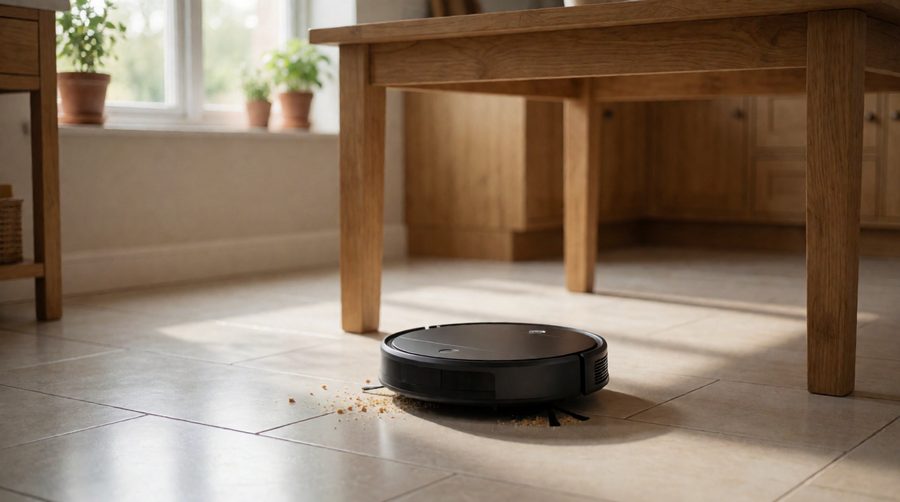
Looking after the battery
The battery in a robot vacuum cleaner is a consumable part. iRobot says that with proper care a Roomba battery "should last at least 2-3 years" before it needs replacing, and its battery care advice applies to most brands:
- Charge at room temperature, out of direct sunlight.
- Recharge as soon as you can after each run, and leave the robot on its dock when it is not in use.
- Keep the brushes, filter and wheels free of hair and fluff so the motor is not straining.
- Give it a full charge at least once every six months.
- If it is going into storage for weeks, follow the maker's storage mode instructions and keep it somewhere cool and dry.
When run times drop noticeably, a new pack usually brings the robot back to full strength. Before you buy, check that the maker sells genuine packs for that model - it is a good sign of how long the robot will stay usable.
Charging safely
Lithium-ion batteries are safe when used with the right charger, but damaged or counterfeit ones can catch fire. The London Fire Brigade advises using only the correct charger for the battery and buying replacements from a reputable seller. For a robot vacuum cleaner, that means:
- Use the dock and power supply that came with it, and genuine or maker-approved replacement batteries.
- Stand the dock on a hard, level floor with space around it, and never cover it.
- Stop using one that is swollen, hot or damaged.
Old batteries and broken robots should not go in the household bin. Recycle Your Electricals has a postcode search for local drop-off points.
FAQs about cordless robot vacuum cleaners
How long does a cordless robot vacuum run on one charge?
Listed run times in this range go from 60 minutes (Shark Navigator) to 320 minutes vacuuming only (Lefant M5 Pro), with 120 to 200 minutes typical. Expect less on carpet, at full suction or when mopping.
Can I leave it on the charging dock all the time?
Yes - cordless robot vacuums are designed to live on the dock, and iRobot recommends keeping the robot docked when it is not in use. The battery management stops it overcharging.
How long does a robot vacuum take to charge?
Most rechargeable robot vacuums take 3 to 6 hours from flat. Models with fast charging, such as the Ecovacs X11 OmniCyclone, top up a little during mop washing too.
Does mopping use more battery?
Yes. A spinning or roller mop has its own motor. The Lefant M5 Pro's listing shows the gap: 320 minutes vacuuming only, 180 minutes vacuuming and mopping.
Can you replace a robot vacuum battery?
On most models, yes. Batteries usually last two to three years. Buy the maker's own pack or an approved one rather than a cheap unbranded copy.
Do cordless robot vacuums need Wi-Fi?
Most can be started with a button on the robot, but schedules, maps, no-go zones and voice control need the app and a Wi-Fi connection. Many need a 2.4GHz network, so check your router settings.
Is a robot vacuum the same as a cordless vacuum cleaner?
No. A cordless stick vacuum is handheld and you push it; a robot runs itself. Some kits include both, such as the SwitchBot K10+ Pro Combo, whose handheld unit lists 30 minutes on a 3-hour charge.